
Chains, Oracles, RPC & Modules
In the app these are four separate settings pages: Chains, Oracles, RPC Nodes, and Modules. They are documented together here because they all control how rotki queries blockchains and prices.
Chain queries & detection
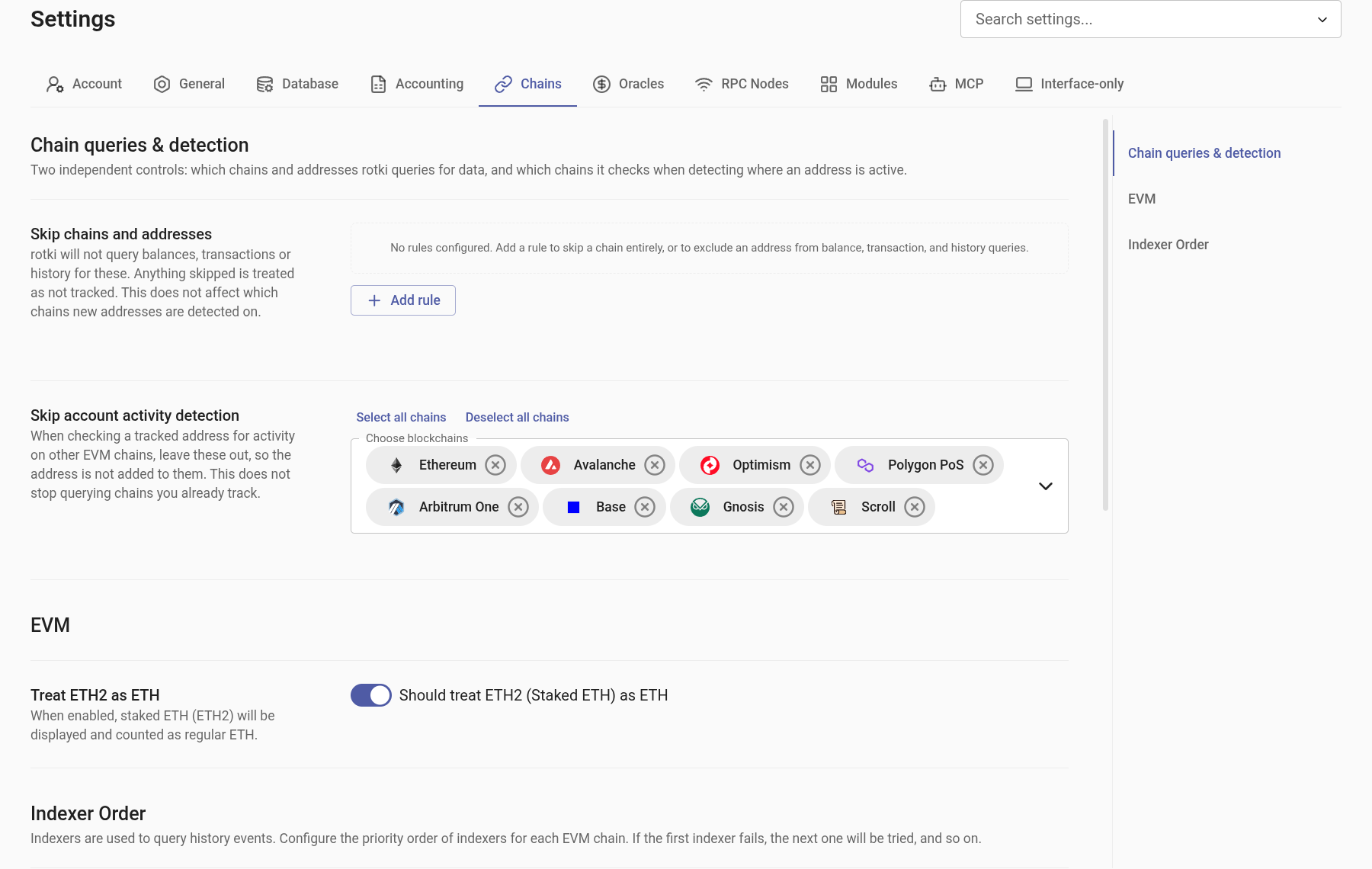
Skip chains and addresses
Use Skip chains and addresses to reduce work when you track addresses across many chains but do not need rotki to query every combination.
Add either of these rules:
- Chain: Skip every tracked address on the selected chain.
- Address: Skip a selected address on one or more selected chains.
Skipped chains and addresses are excluded from future balance, transaction, token-detection, and history-event queries. Anything skipped is treated as not tracked, so its balances stop appearing in rotki even though they are still cached: the balances that have already been saved are filtered out of the response, not deleted from your database. Remove the rule and they come back. History events already stored are kept and remain visible. The setting also does not affect cross-chain account activity detection for newly added addresses.
Use it to avoid unnecessary queries and improve performance when several chains are tracked. Remove a rule at any time to include that chain or address in future queries again.
Skip account activity detection
Configure which EVM chains should not be considered when rotki checks a tracked address for activity on other chains. This prevents the address from being added automatically to those chains; it does not stop querying chains that are already tracked. Use Skip chains and addresses above to stop existing query work.
EVM
Treat ETH2 as ETH
If enabled, ETH2 (staked ETH) will appear as ETH in the UI, and all tables and charts will combine the values of ETH and ETH2.
Indexers
rotki uses several indexers to identify which transactions belong to your tracked addresses. The order used for each chain can be adjusted in the default settings and will apply unless a specific chain configuration overrides it. Some chains already ship with their own order, because the default one does not suit them: Base and Optimism try Blockscout before Etherscan, Gnosis uses Blockscout with Etherscan only as a fallback, and Scroll, Binance SC and Monad have a single usable indexer each.
This lets you control which sources are queried and change the configuration if one of them is unreliable for a particular chain.
In addition to querying historical events, indexers are used when detecting onchain activity, for example when you add a new address to all supported EVM chains or when the periodic task performs this check in the background.
API keys and chain coverage
No indexer covers every chain, and each has its own key requirement:
| Indexer | API key | Chains covered |
|---|---|---|
| Etherscan | Required, even on the free tier. One key covers every chain it serves | Most EVM chains, but not Scroll. Gnosis and Binance SC only on paid plans |
| Blockscout | Required. The multichain endpoints reject keyless requests. One key covers every chain it serves. Exception: Hyperliquid is served through a free public instance and needs no key | Ethereum, Optimism, Polygon PoS, Arbitrum One, Base, Gnosis, Scroll, Hyperliquid |
| Routescan | Not required | Ethereum and Optimism only |
rotki caps its own Blockscout traffic at 10 requests per second, so parallel chain refreshes do not overwhelm the endpoint.
Which means, in practice:
- Ethereum and Optimism can be queried with no API key at all, through Routescan.
- Hyperliquid can be queried with no API key, through the free Blockscout instance.
- Every other chain needs at least one key. For most of them a free Etherscan key is enough.
- Gnosis needs either a Blockscout key or a paid Etherscan plan. Either one on its own is enough. Blockscout is queried first by default, and whichever indexer you have no key for steps aside instead of spending a request that cannot succeed. If you have neither, rotki tells you which one to add the first time it queries Gnosis.
- Scroll needs a Blockscout key, since Etherscan no longer serves Scroll and Routescan does not cover it.
- Binance SC needs a paid Etherscan plan, since it is the only indexer that serves the chain.
Suppressing indexer notifications
When a chain has no usable indexer, rotki raises a "No indexers available" notification for it. If it names a chain you have no intention of configuring, the notification offers to suppress it: confirm, and rotki stops raising it for that chain.
Suppressed chains are listed under Suppressed "No indexers available" notifications on this page. Remove a chain from that list to start showing its notification again.
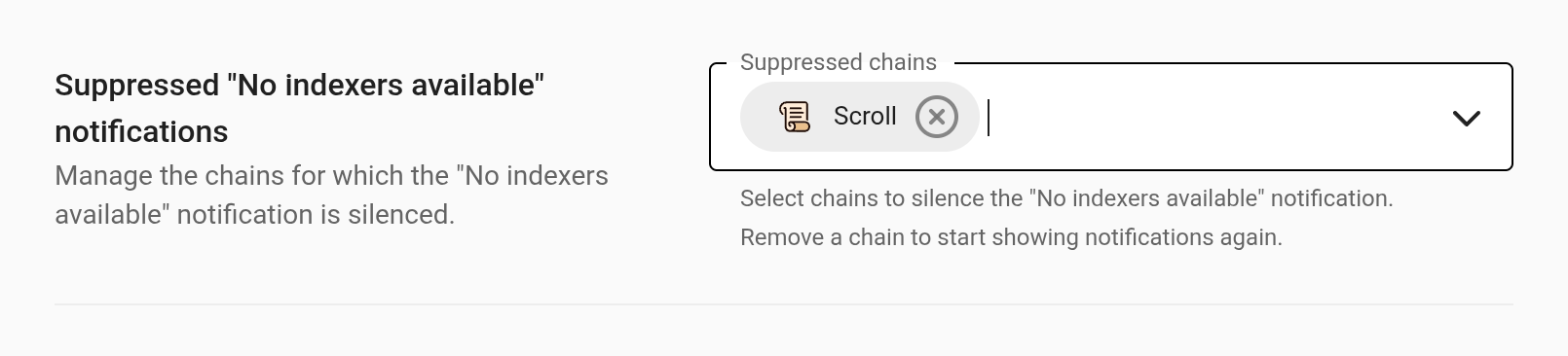
Suppression is per chain, so silencing one never silences another. Even without suppressing anything, a notification you keep ignoring backs off on its own — see how often a notification repeats.
Recommended settings after upgrading
Some releases change which indexer a chain should use by default. When that happens and you had already chosen your own order for the affected chain, rotki shows a recommended-settings dialog after the upgrade rather than silently overriding your choice.
Upgrading to 1.44 shows this for Gnosis if you have Gnosis events and had picked your own order. It explains that Etherscan no longer serves Gnosis for free, shows which of the two keys you already have, and preselects the order matching them. You can accept the recommendation or keep what you had.
Price Oracle Settings
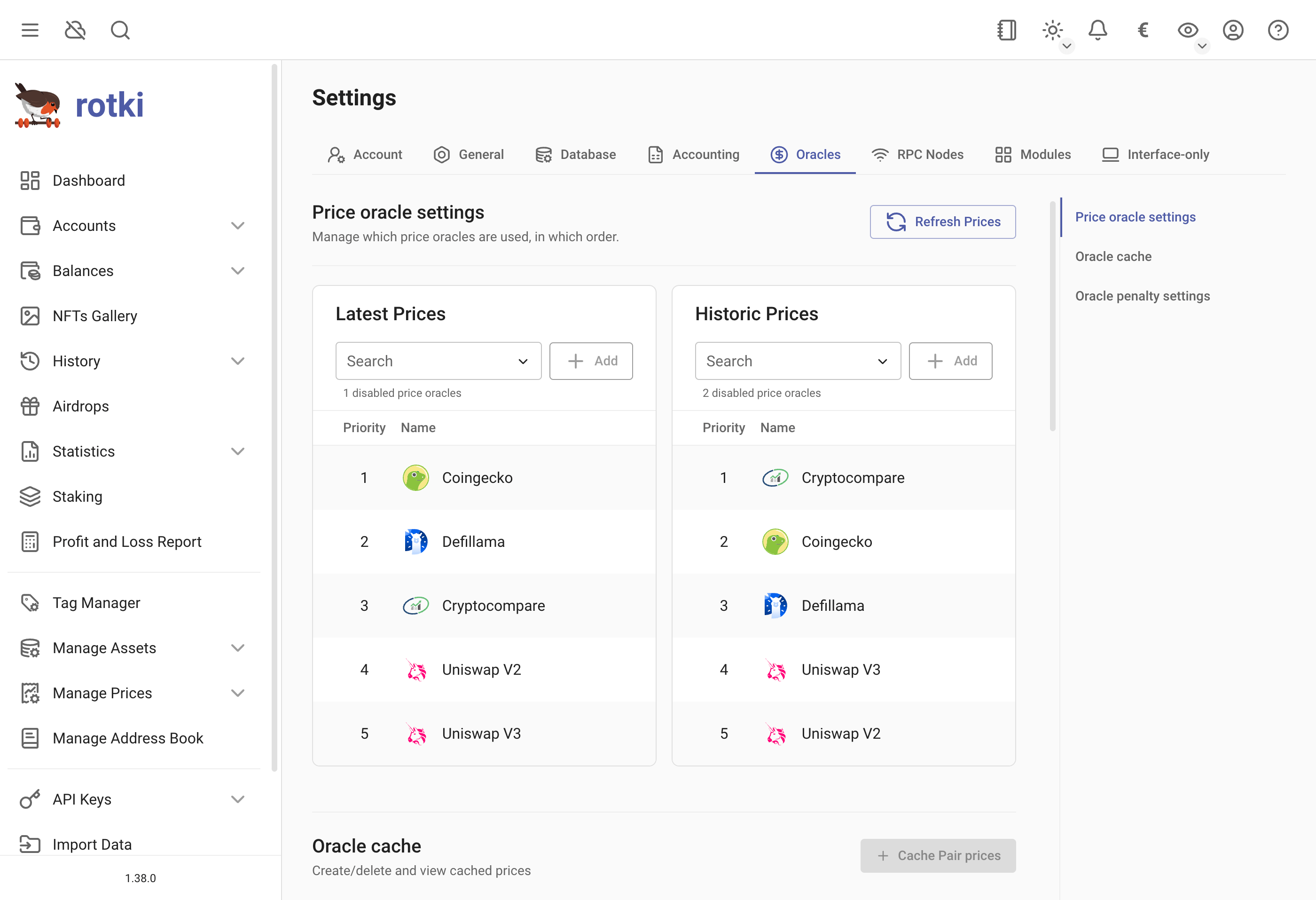
Here, you can customize the order in which price oracles are queried, both for current and historical prices. This determines which price source to check first, second, and so on.
Both lists offer CryptoCompare, CoinGecko, DefiLlama, Alchemy, Moralis, Uniswap V2 and Uniswap V3. Latest Prices additionally offers Kraken.
Manual prices are not part of this ordering. They always take precedence over any oracle, and you add them under Managing prices.
DeFi oracles like Uniswap V2 and Uniswap V3 use only on-chain information to get current prices. This makes querying a bit slower, but it relies solely on the Ethereum chain. Prices for some assets may differ from Coingecko or CryptoCompare, depending on the conditions of the pools at the time of the query.
Oracle cache
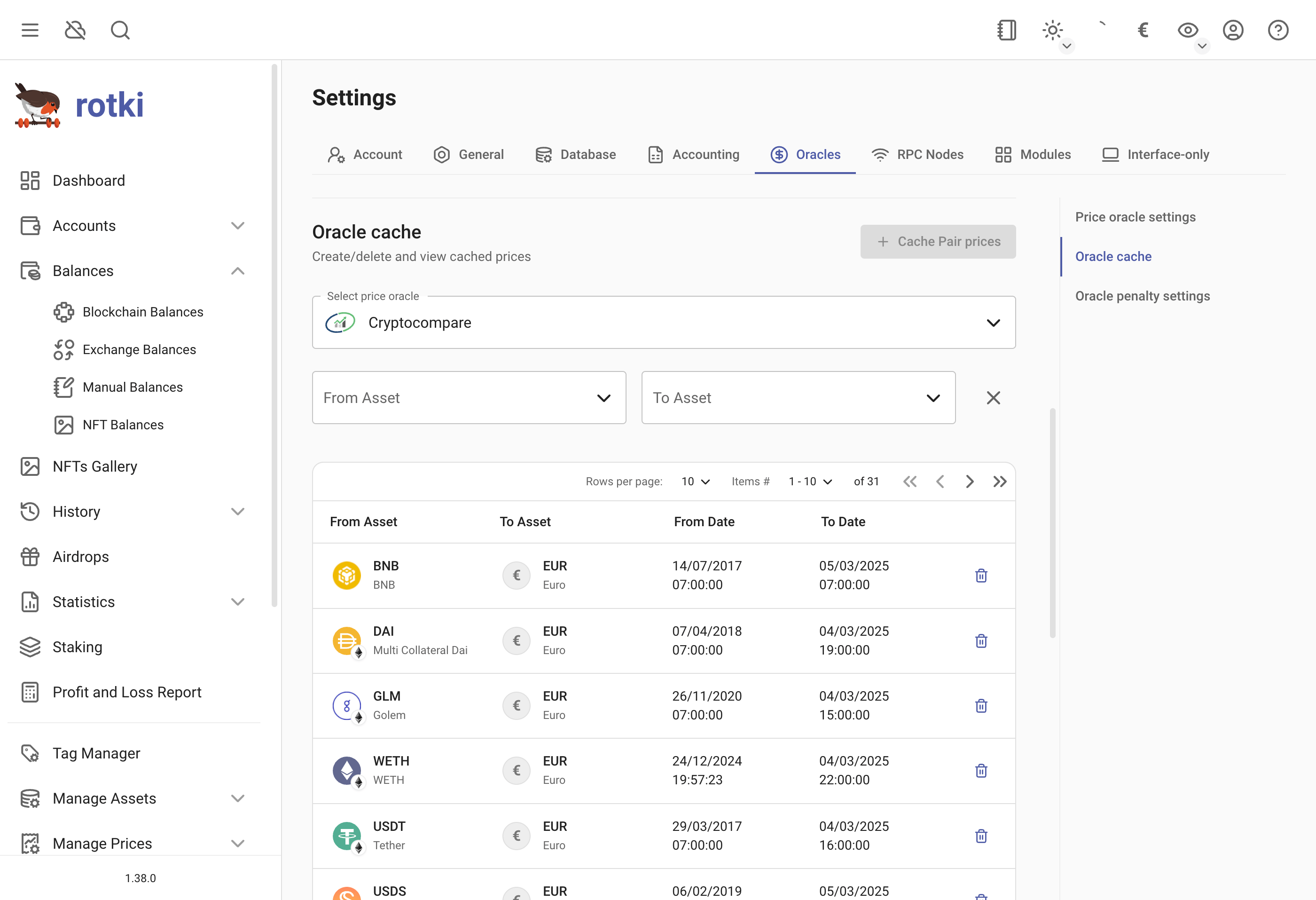
Querying historical prices from oracles such as CryptoCompare and CoinGecko is slow and can be slower due to rate limiting. rotki creates historical price caches during idle times.
Caches are managed outside the settings: open Manage Prices in the sidebar, then Oracle Prices, then its Caches tab. Request the creation of one by selecting the price oracle, the from asset of the pair and the to asset of the pair, then pressing Create Cache.
Manage existing historical price cache entries, inspect start and end dates, and delete caches if needed.
Oracle Penalty Settings
Configure penalty behavior for misbehaving price oracles at runtime.
Oracle Penalty Duration
The duration in seconds for which an oracle is penalized after exceeding the failure threshold. Default is 1800 seconds (30 minutes).
Oracle Penalty Threshold Count
The number of consecutive failures after which an oracle is penalized and temporarily skipped. Default is 5.
RPC Node Setting
This setting lets you change the nodes used to connect to blockchains. We give you a list of public nodes, but sometimes they are busy or down. The Connectivity column shows a CONNECTED or FAILED chip for each node, so you can see at a glance which ones are reachable.
It is good to add more nodes and set their priority. We always try your own nodes first, then use some random public nodes if needed. If you don't have your own node, we use public nodes.
The node's weight (percentage) shows how likely it is to be used. You can turn nodes on or off with the toggle button.
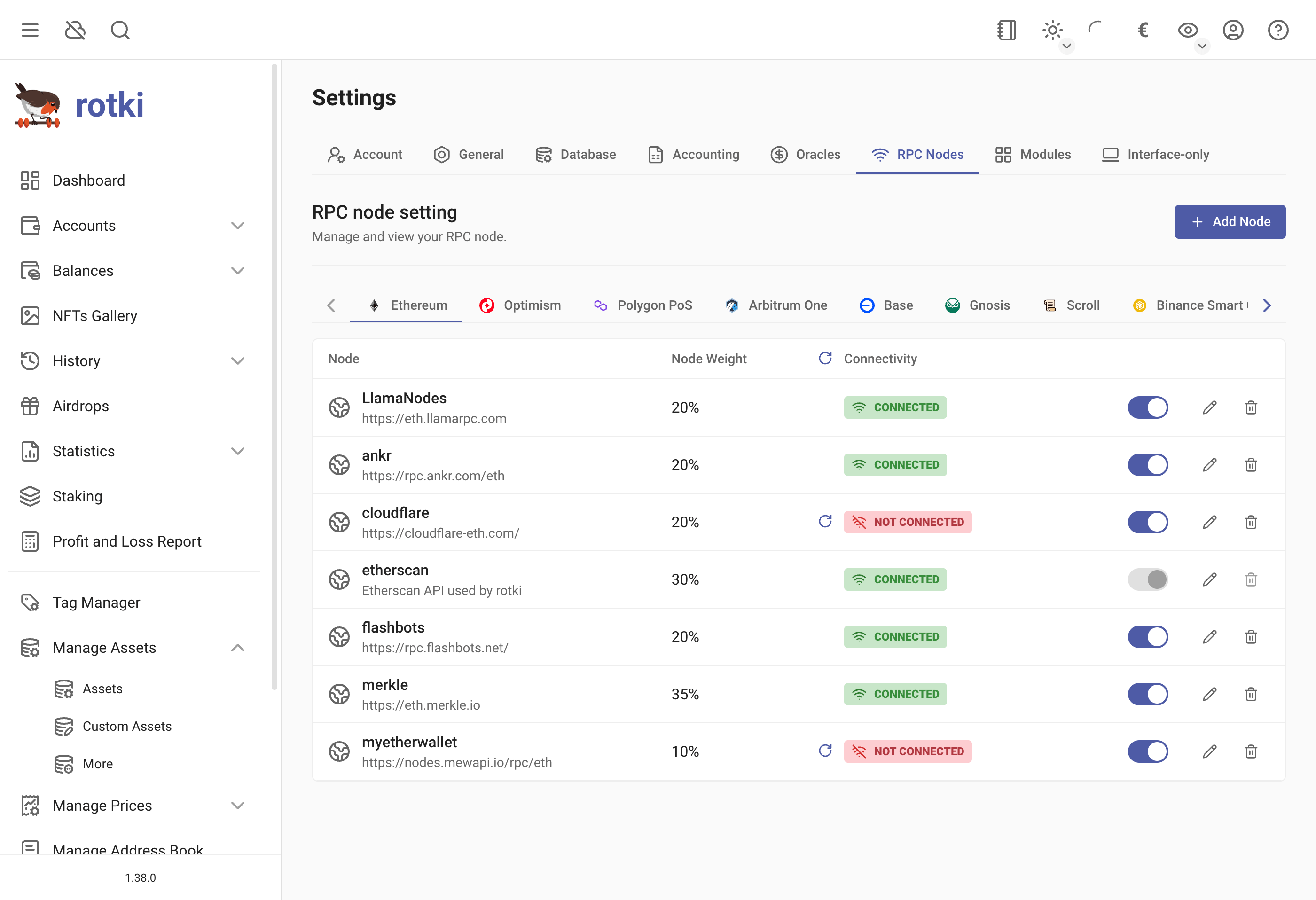
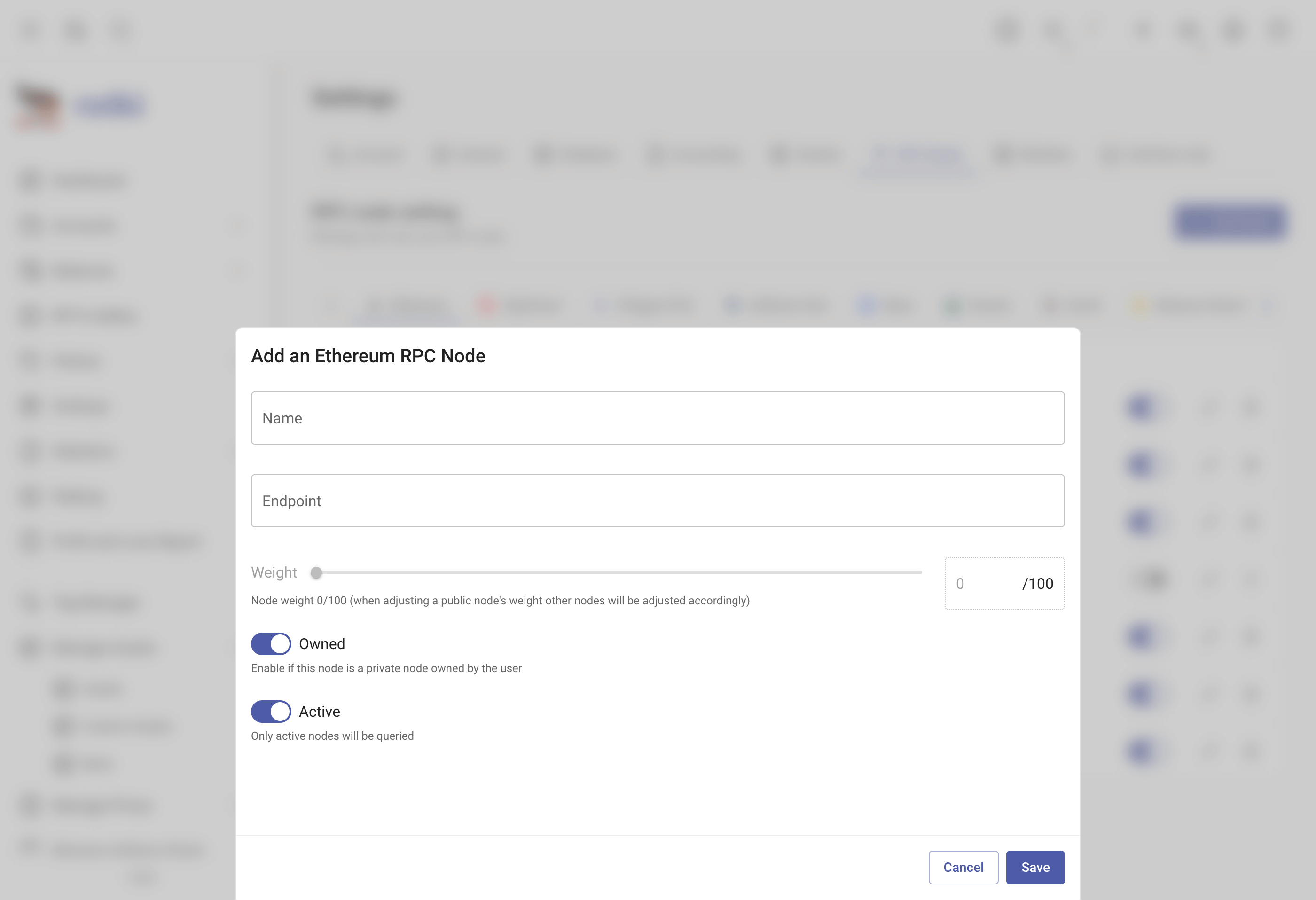
In this menu you can also edit, delete or add more nodes.
Local Nodes
Connecting to a Kusama Client
rotki attempts to connect to a local Kusama node running on the default port 9933. If no client is running, blockchain queries will use an external service.
Connecting to a Polkadot Client
Set the RPC endpoint for a Polkadot node here.
Connecting to an ETH Consensus Layer Beacon Node
Set the RPC endpoint for the Ethereum consensus layer beacon node. If unreachable, beaconcha.in will be used. For DAppNode Ethereum validator users, find the RPC node setting in the DAppNode Package for the Execution Client.
Connecting to a Bitcoin Mempool instance
A local Bitcoin node can be used to query balances and transactions via Mempool's API. Mempool is an open source project that can be self-hosted on Bitcoin nodes. It is readily available to install on many full-node distros such as Umbrel or Raspiblitz. Mempool uses port 4080 by default. Please include this when setting the endpoint (e.g. http://localhost:4080). Other custom ports should also work. Please note that transaction querying is currently not supported and historical transaction fetching will fail. Only address balance querying is supported when using a custom mempool instance.
Module Settings
Choose the "Module" section of the settings to customize the enabled modules and the queried addresses for each module.
Enabling only the modules you use and specifying addresses improves querying speed.
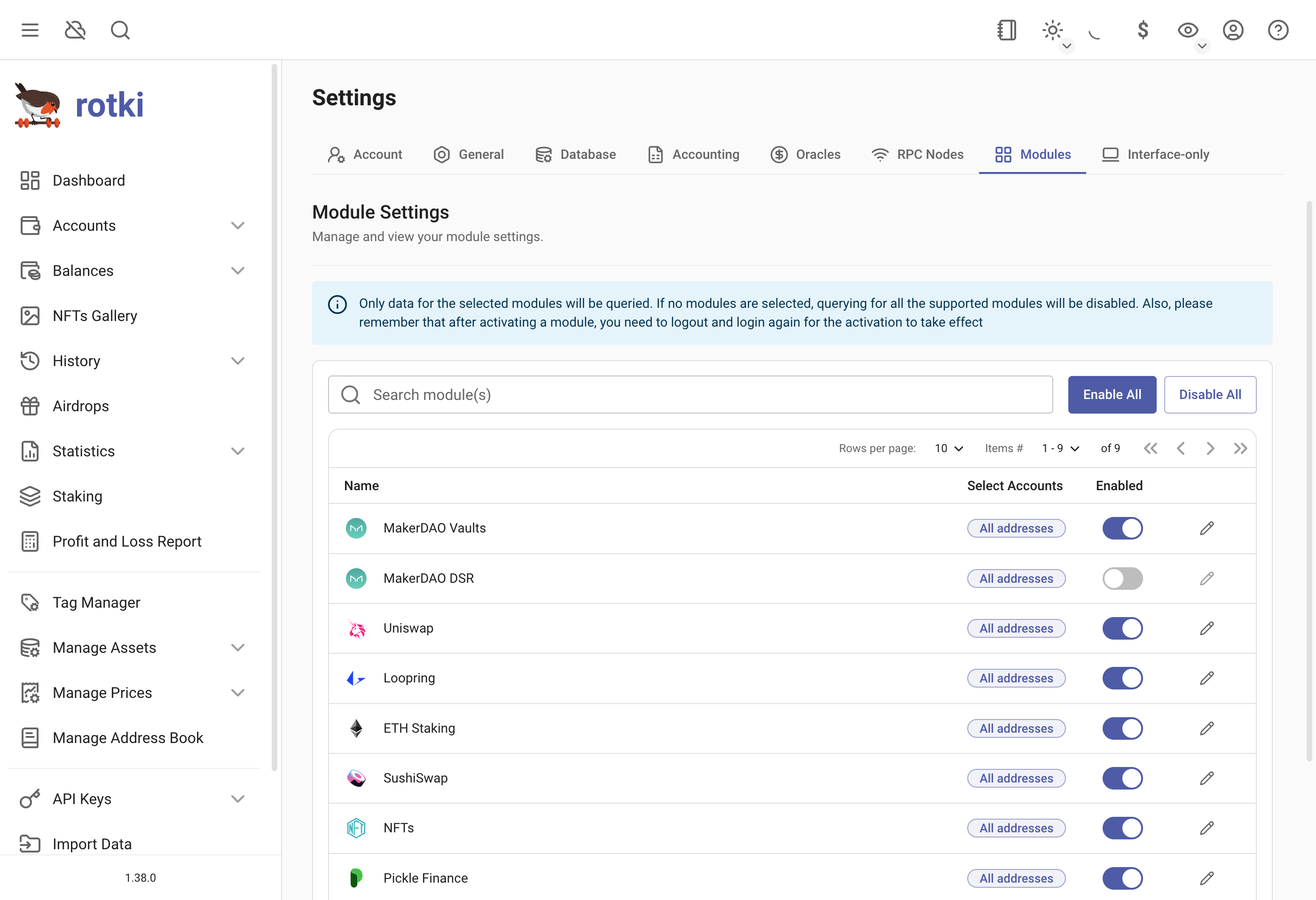
Activating/Deactivating Modules
View all modules in the table. Some are activated by default. Enable/disable a module by toggling the switch. Re-login for changes to take effect.
Selecting Addresses
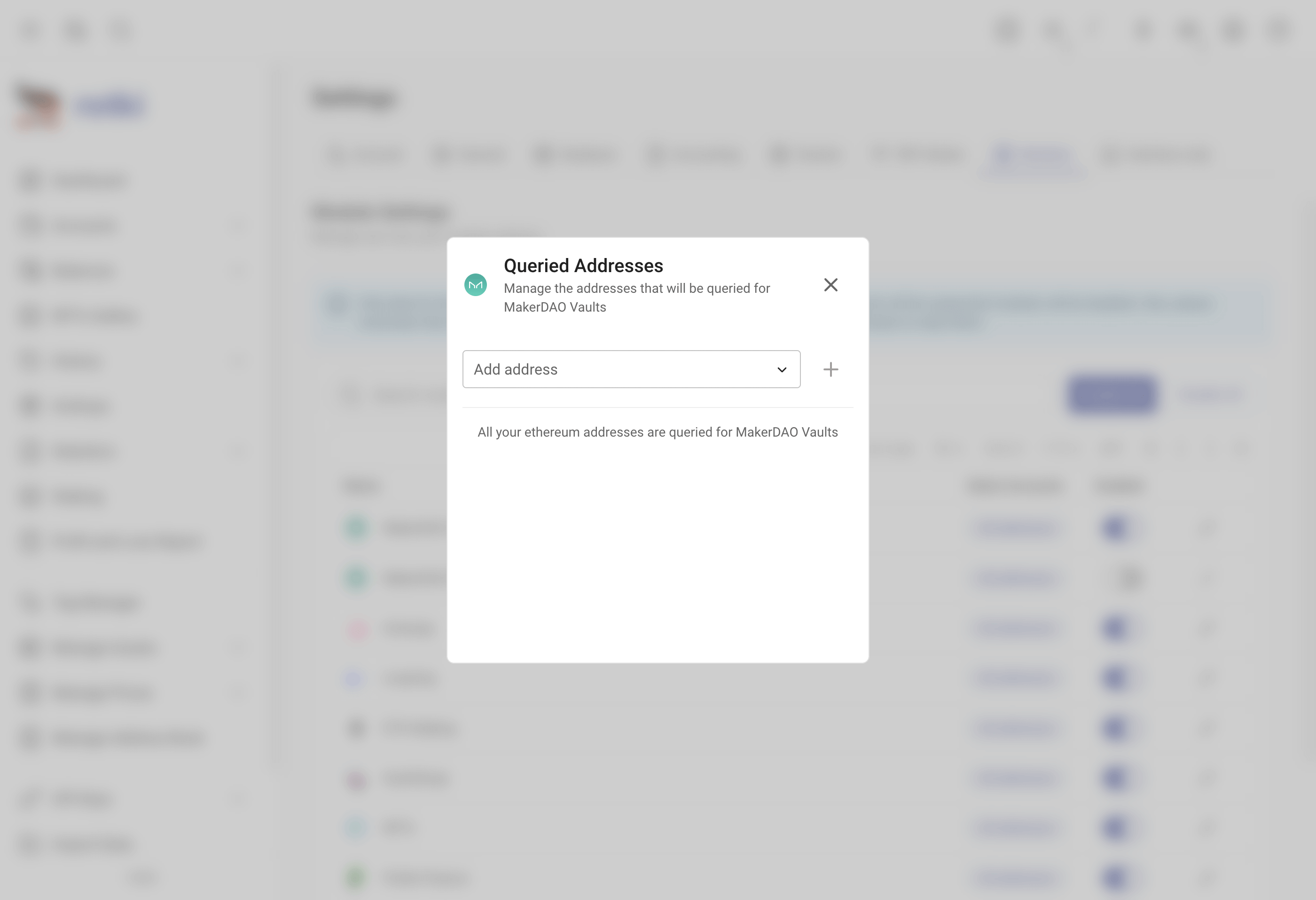
To limit querying to selected addresses, click the "edit/pencil" button on the module to select addresses. If no addresses are selected, rotki checks all eligible addresses, increasing query duration.