
Interface Settings
Interface-only Settings
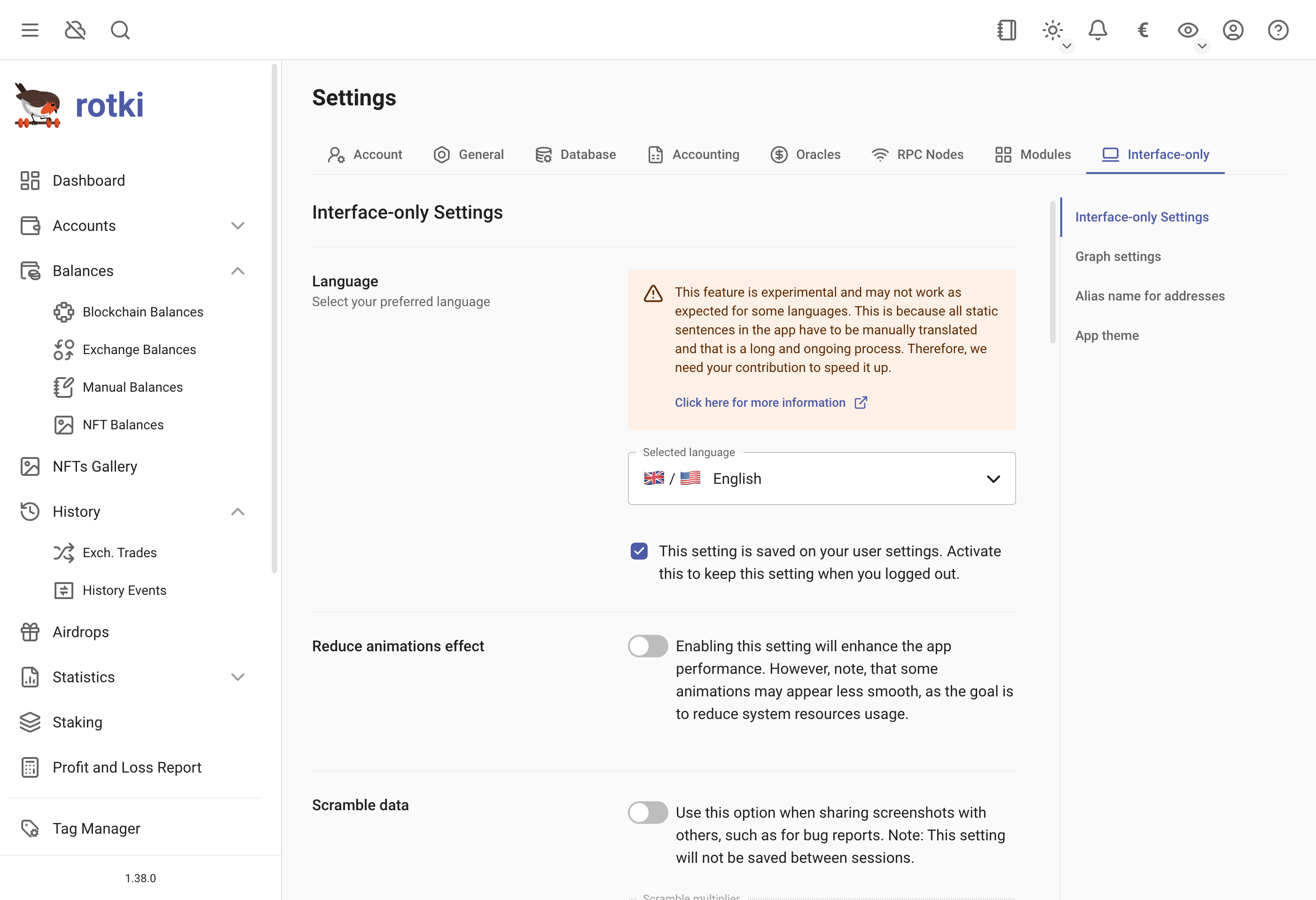
Language
Set the language used in the app. This feature is experimental and may not work as expected for some languages. Help us speed up the translation process by contributing here.
Animation Effect
Reduce animation effects to improve performance. This affects animation quality but optimizes resource usage.
Persist Table Sorting
Save your table sorting preferences so they persist when you navigate away and return to the page.
Data Scrambling
Enable data scrambling to randomize amounts, dates, and other data for privacy in screenshots. This setting does not persist across sessions.
Persist Privacy and Scramble Mode Settings
When enabled, privacy mode and scramble settings are preserved across sessions. When disabled, these settings reset to defaults upon login.
Automatic Balance Refresh
Enable or disable automatic balance refresh and set the refresh interval. Disabled by default due to potential slow queries and rate limits.
Periodic Status Query
Set the frequency of backend data updates. Default is 5 seconds.
Blockchain Explorer Customization
Customize which explorer is used for transaction and address links.
Progress Query Indicator on Dashboard
Configure the history query progress indicator shown on the dashboard. You can set the minimum out-of-sync period (in hours) before the indicator appears, the dismissal threshold (in hours) controlling how long the indicator stays hidden after being dismissed, and reset the dismissal status to show all indicators again.
Graph Settings
Dashboard Graph Default Timeframe
Set the default timeframe for the dashboard graph, which will be pre-selected upon login.
Graph Basis
Configure whether the graph y-axis starts at 0 or the minimum amount for the period.
Alias Name for Addresses
Shown in the app as Blockchain address aliases. Enable or disable alias names for blockchain addresses, and change the order the sources are resolved in. The first source that has a name for an address wins. In priority order the defaults are Private address book, Blockchain account labels, Global address book, Ethereum tokens, Hardcoded mappings, ENS names and GNS names (.gwei).
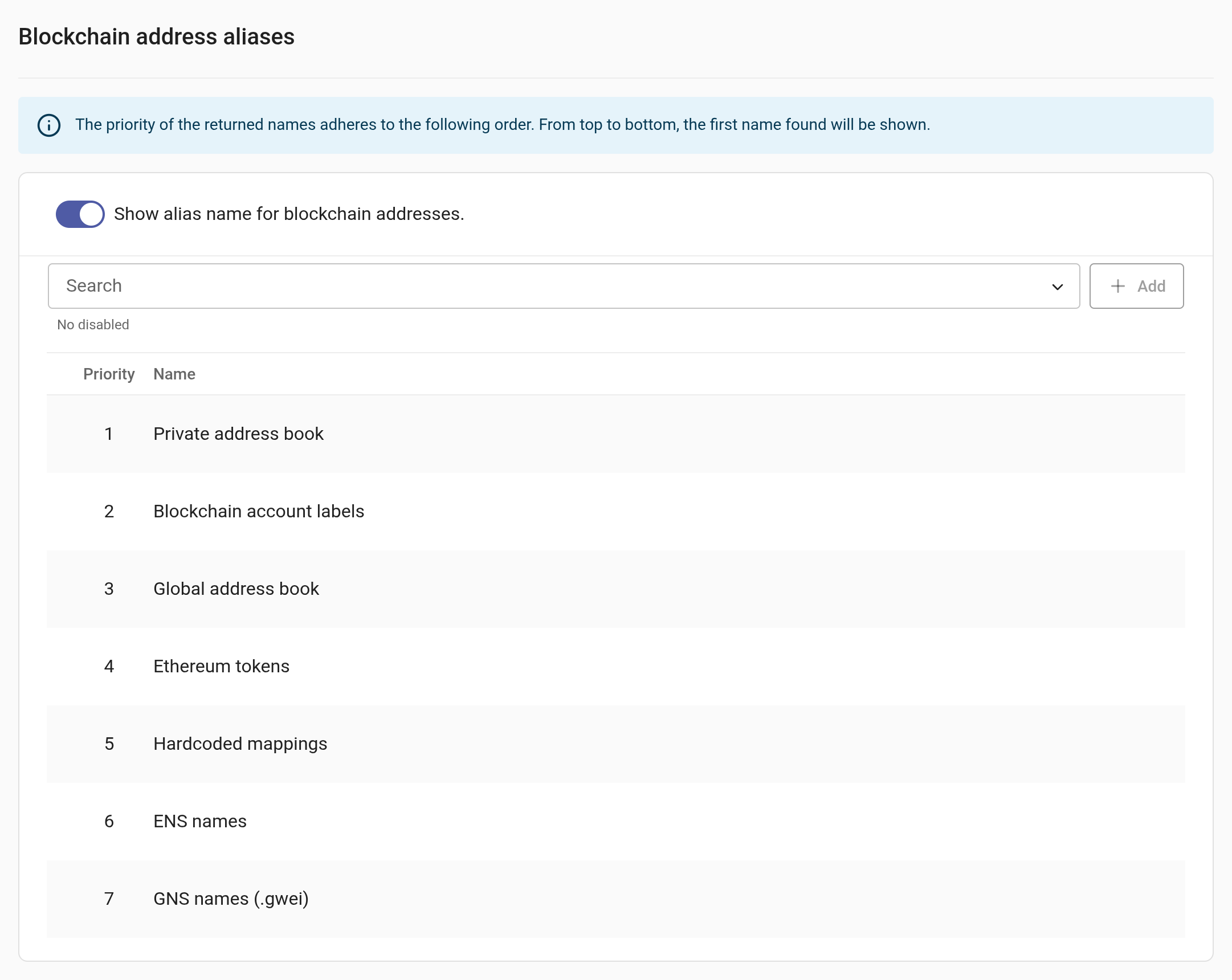
GNS names (.gwei) was added in 1.44 and sits last by default, so a Gwei Name Service name is used only where nothing higher, ENS included, has one. Drag it above ENS names to prefer it, or remove it from the list to ignore GNS entirely. Avatars follow the same priority.
Newly Detected Tokens
Configure how newly detected tokens are stored and pruned. You can set the maximum number of tokens to keep (oldest tokens exceeding this limit are pruned) and the retention period in days (tokens older than this are automatically removed).
Theme Customization [Premium]
Premium users can customize colors for light or dark mode.
Disabling the Tray Icon
Disable the application tray icon by clicking the View menu entry in the application menu bar. Select Display Tray Icon to enable/disable the tray icon.