
External Services
Why External API Keys Are Needed
Required for accessing:
- Historical crypto prices
- EVM transactions
- Other external data services
How to Add External API Keys:
- Create free account on service website
- Generate API key
- In rotki:
- Go to
API Keys → External Services - Enter your API key(s)
- Go to
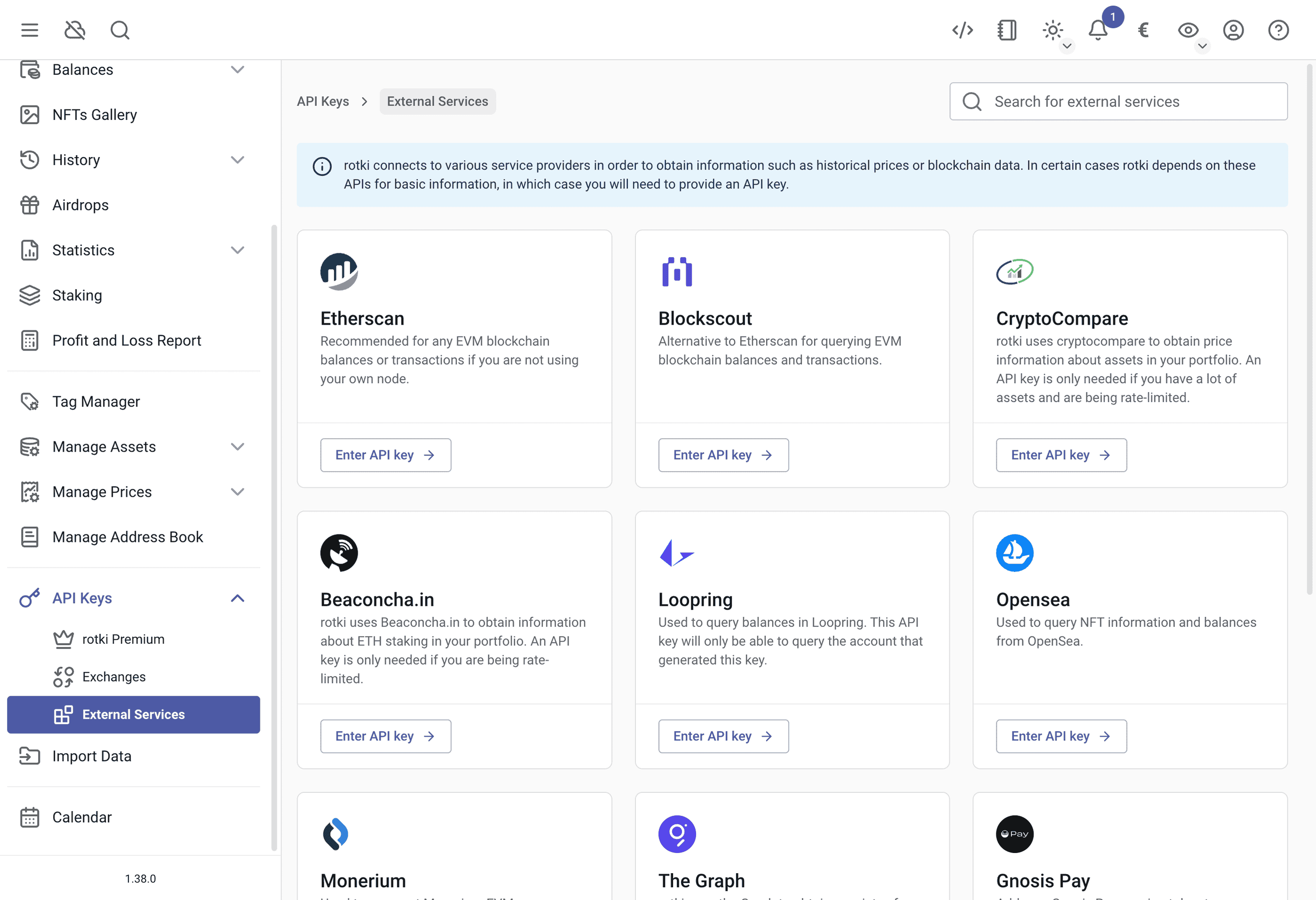
Etherscan
We strongly recommend getting an Etherscan API Key - it's completely free and will make the queries much faster! Without it, the queries will be really slow. You just need to:
- Create an account at here
- Generate a free API Key
- Add the key to rotki.
You only need one Etherscan API key for all EVM chains since the key is now unified.
Blockscout
Blockscout is an open-source blockchain explorer that rotki can use as an alternative data source for on-chain transactions and token transfers. You can add per-chain API keys, allowing rotki to query Blockscout instances for specific EVM chains. This can be useful as a fallback or supplement to Etherscan.
Helius
Helius is a Solana indexer and RPC provider. Adding a Helius API key allows rotki to query Solana transaction data more reliably and with higher rate limits. You can get an API key from helius.dev.
CryptoCompare
CryptoCompare provides historical cryptocurrency price data. While rotki can use CryptoCompare without an API key, adding one increases the rate limits for price queries. You can get a free API key from cryptocompare.com.
Beaconchain
Beaconchain provides Ethereum consensus layer (beacon chain) data. Adding an API key allows rotki to query validator information with higher rate limits. You can get an API key from beaconcha.in.
OpenSea
OpenSea is an NFT marketplace and data provider. Adding an OpenSea API key allows rotki to fetch NFT data such as collection information and valuations. You can request an API key from opensea.io.
Alchemy
Alchemy is a multi-chain data provider and price oracle. rotki can use Alchemy for blockchain data queries and as an additional price source. Adding an API key improves rate limits and reliability. You can get a free API key from alchemy.com.
Moralis
Moralis provides current and historical USD price data for supported EVM tokens. Add a Moralis API key to use it as a current or historical price oracle in rotki.
Moralis offers a free tier, but requires adding a payment card to activate access. Create an API key through Moralis and add it in API Keys > External Services > Moralis. See Moralis pricing for the current tier limits and terms.
Loopring balances
IMPORTANT
Loopring tracking was removed in rotki 1.44, since the Loopring API has shut down. There is no Loopring API key section any more and no new balances are queried. Historical Loopring data already in your database is preserved.
Monerium
You can integrate Monerium with rotki to import your transaction data. This feature is only available for premium users.
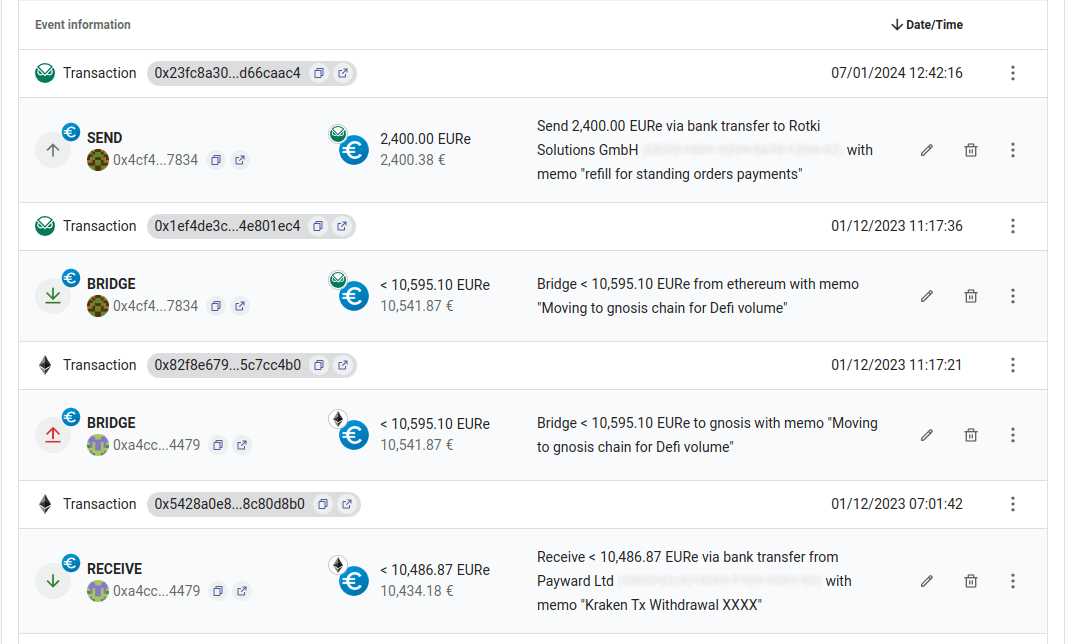
As long as you provide Monerium credentials, all Monerium transactions on Mainnet, Polygon, and Gnosis chain will be decorated with bank data (or chain bridging data), which you can also see in the Monerium app.
- For bank transfers from/to your address, you will be able to see the destination/source IBAN along with the memo of the transfer.
- For automatic EURe bridging between EVM chains, you will see amounts, from/to EVM chains along with from/to address.
Adding Monerium OAuth Token
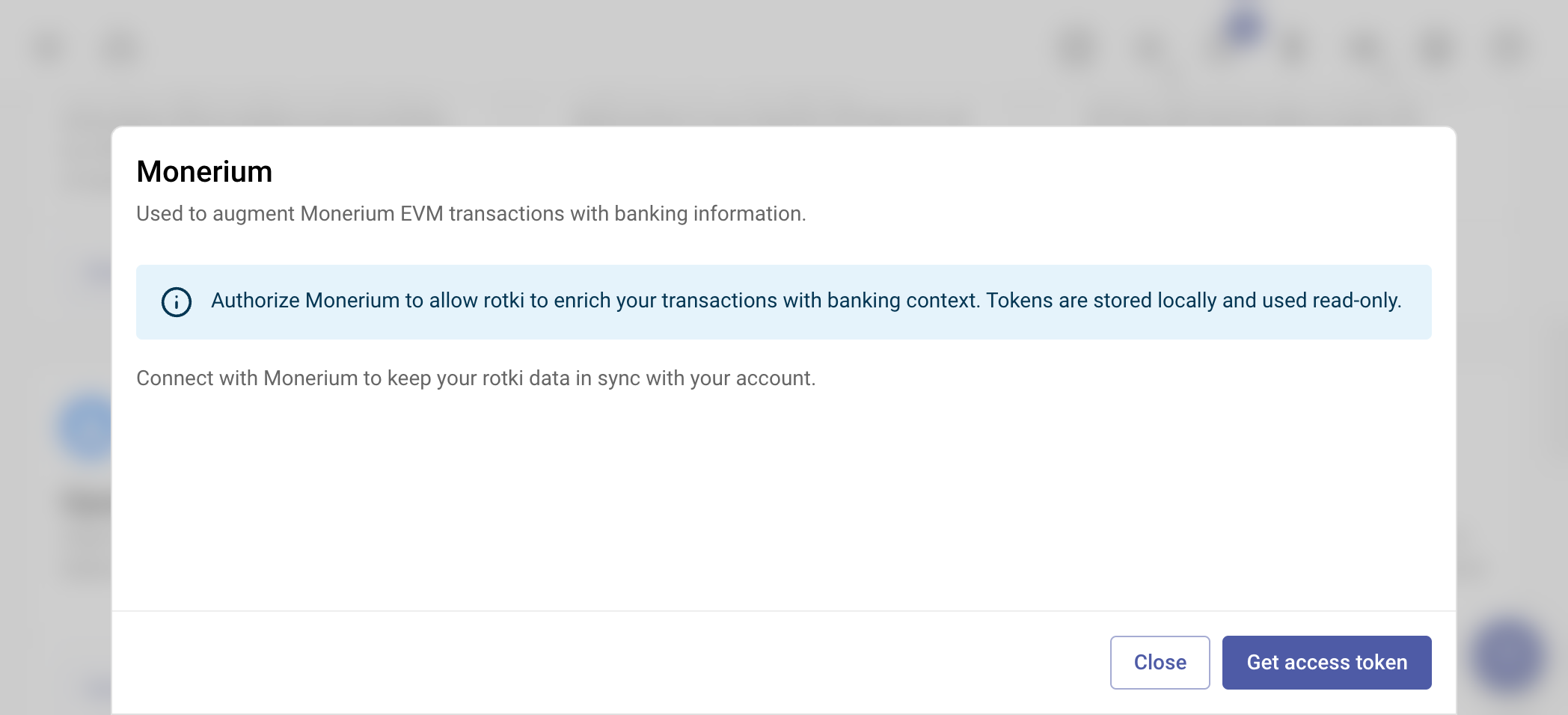
To connect your Monerium account:
Get Access Token:
- In rotki, navigate to
API Keys → External Services → Monerium. - Click the Get access token button.
- In rotki, navigate to
Complete OAuth Flow:
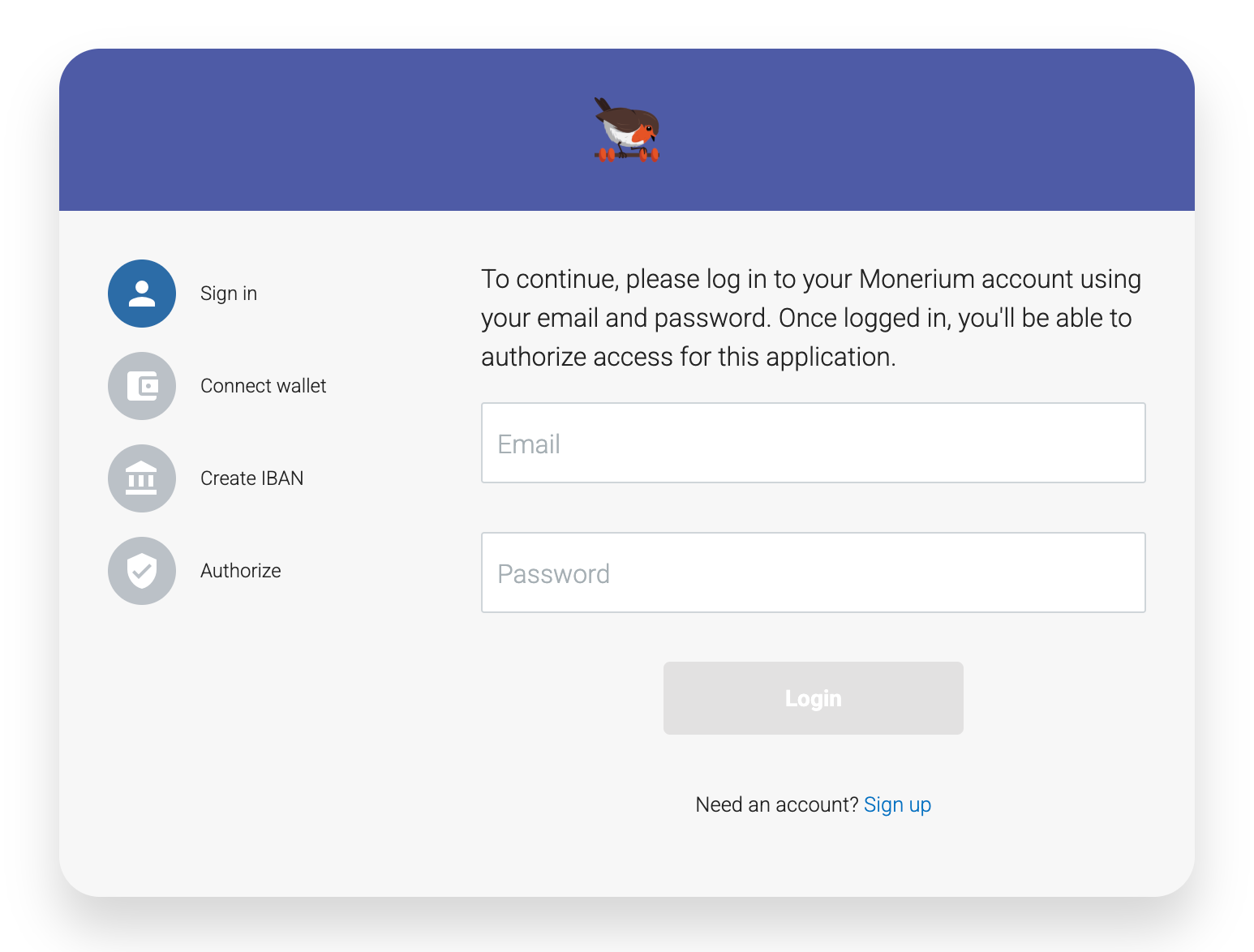
- You will be redirected to rotki.com to connect via Monerium OAuth.
- Follow the authentication flow on the Monerium OAuth page.
Return to rotki:
- Standard mode: You will be automatically redirected back to the app after completing the OAuth flow.
- Docker mode: You will need to manually copy the access token and refresh token from the OAuth page and input them into rotki.
Redecode Transactions:
- After successfully adding your Monerium credentials, you need to redecode the Monerium transactions in the history events section to see the updated bank data. See Redecoding blockchain transactions for more information on how to redecode transactions.
Note: The Monerium credentials only provide read-only access to your Monerium data. When you authenticate, Monerium's OAuth consent screen may show that rotki is requesting broad permissions. This is because Monerium's API doesn't currently support granular permission scopes, so all OAuth tokens appear to request full access. However, rotki only performs read-only operations and cannot modify your account, initiate transfers, or make changes to your Monerium data. The OAuth authentication flow described above is mandated by Monerium's API requirements, not a design choice by rotki. rotki simply integrates with their authentication system as required.
Gnosis Pay
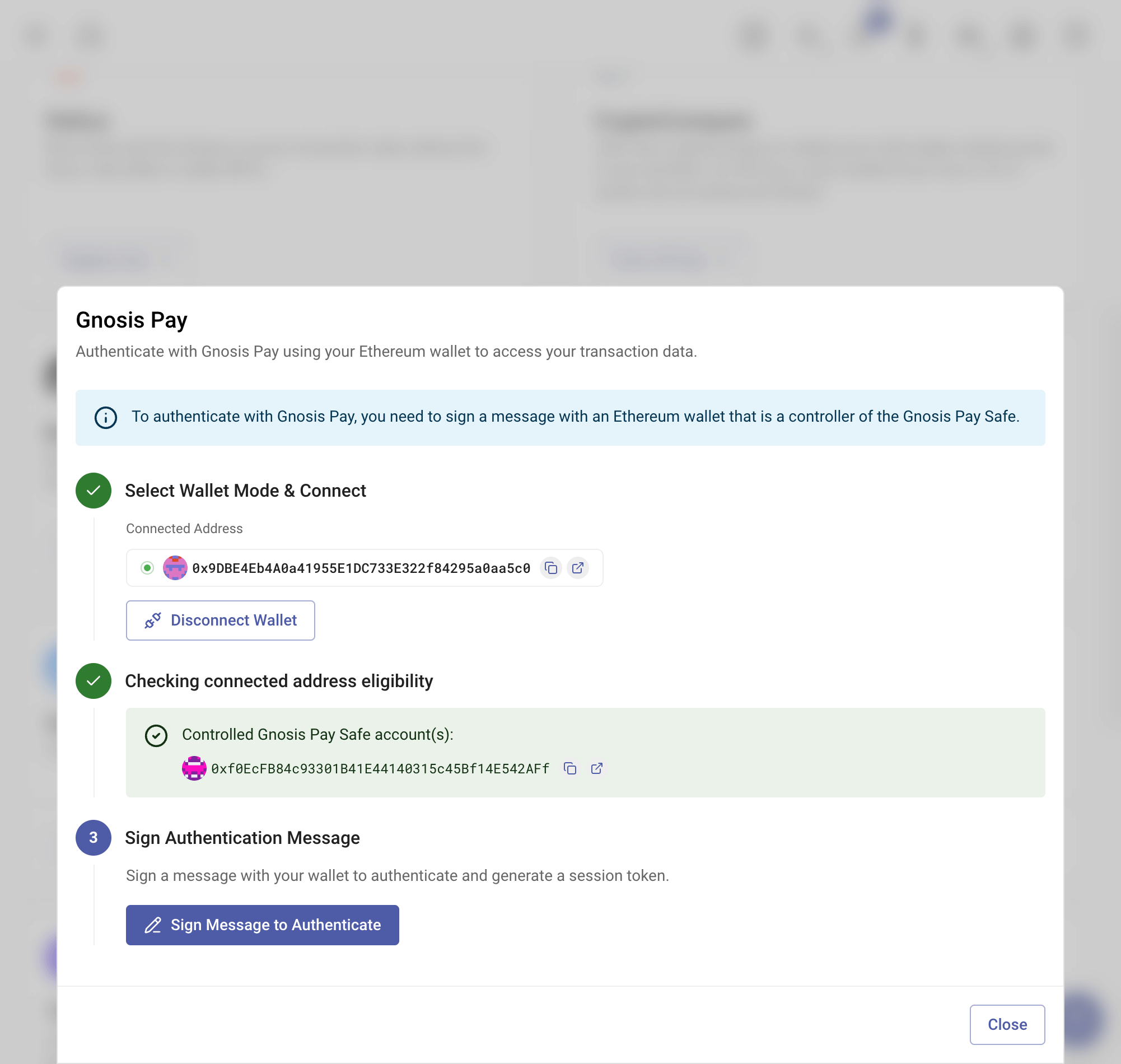
You can integrate Gnosis Pay with rotki to import your transaction data. This feature is only available for premium users.
Adding Gnosis Pay Access Token
To connect your Gnosis Pay account:
Connect Wallet:
- In rotki, navigate to
API Keys → External Services → Gnosis Pay. - Click the Sign in with Ethereum button.
- Connect the wallet that controls the Safe wallet of your Gnosis Pay account.
- In rotki, navigate to
Sign Message:
- Sign the message to authenticate and get the access token.
Redecode Transactions:
- After successfully connecting your Gnosis Pay account, you need to redecode the Gnosis Pay transactions in the history events section to enrich the transaction details. See Redecoding blockchain transactions for more information on how to redecode transactions.
Note: The access token only provides read-only access to your Gnosis Pay data. The "Sign in with Ethereum" authentication process described above is mandated by Gnosis Pay's API requirements, not a design choice by rotki. rotki simply integrates with their authentication system as required.
Safe migration
Gnosis Pay replaced user Safes during its security migration, so an account can have both a previous and a current Safe. rotki notices when you track only one of the two and tells you which address is missing:
- If you track only the previous Safe, add the new active one to keep tracking future activity.
- If you track only the new Safe, add the previous one to keep its historical activity.
Add the named address as a normal blockchain account on Gnosis. Tracking both means your history covers the whole account rather than stopping or starting at the migration.
The Graph
rotki uses The Graph to obtain Balancer balances and particular ENS data. You can create one here.
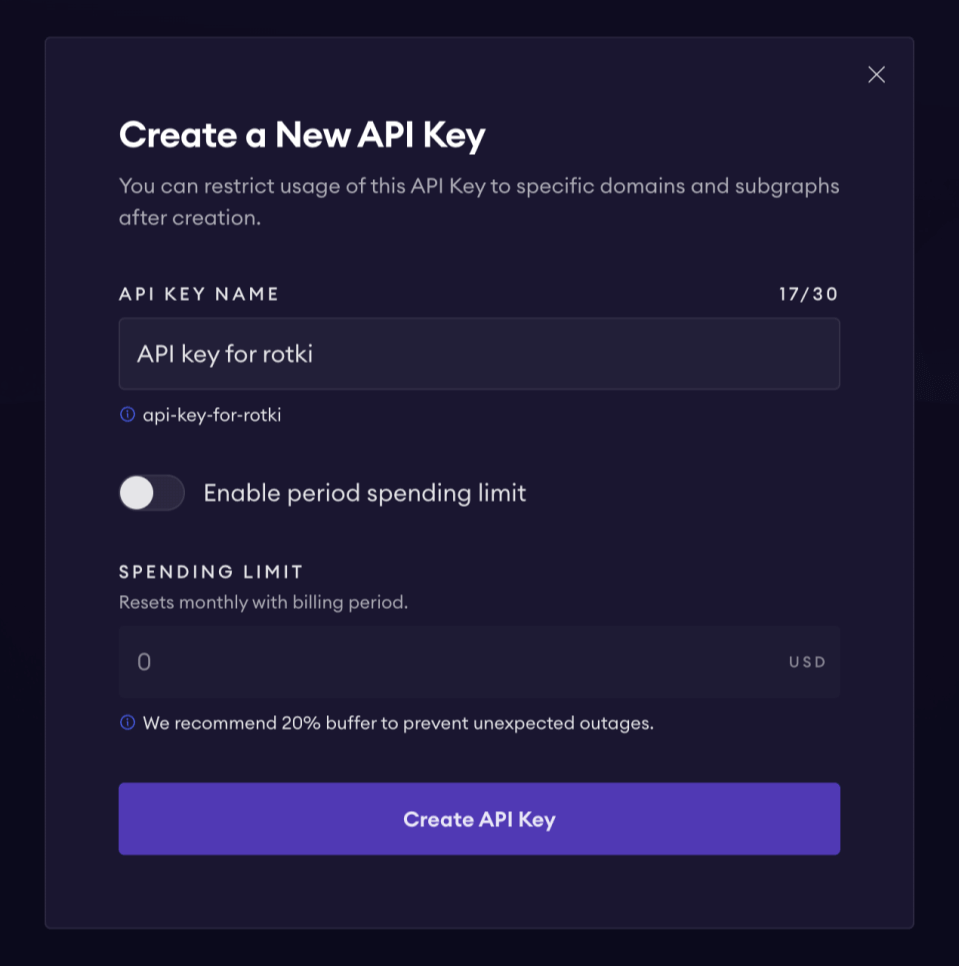
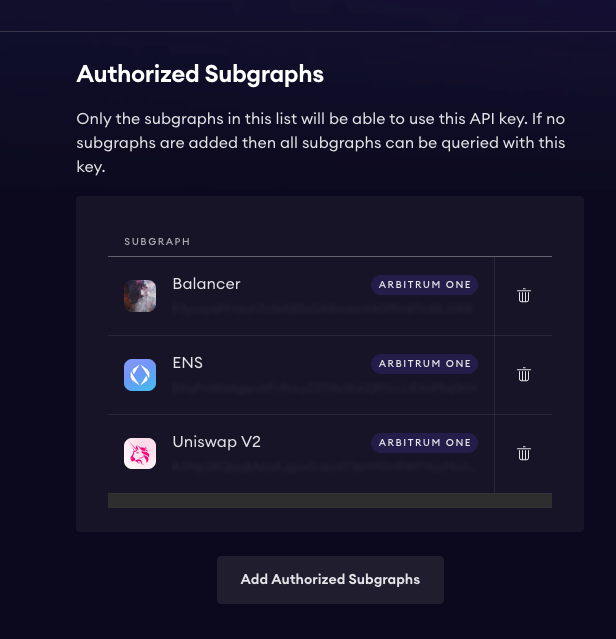
After creating the API key, you can add it to rotki. Additionally, ensure that the generated API key is authorized for the Balancer and ENS subgraphs.
DefiLlama
rotki integrates with DefiLlama for price data. An API key is not required, but a paid API key will provide higher rate limits. You can find more information about their API here.
CoinGecko
rotki uses CoinGecko for cryptocurrency data. An API key is not required, but a paid API key will provide higher rate limits. You can find more information about their API here.