
Account & Database Settings
Account Settings
Changing Password
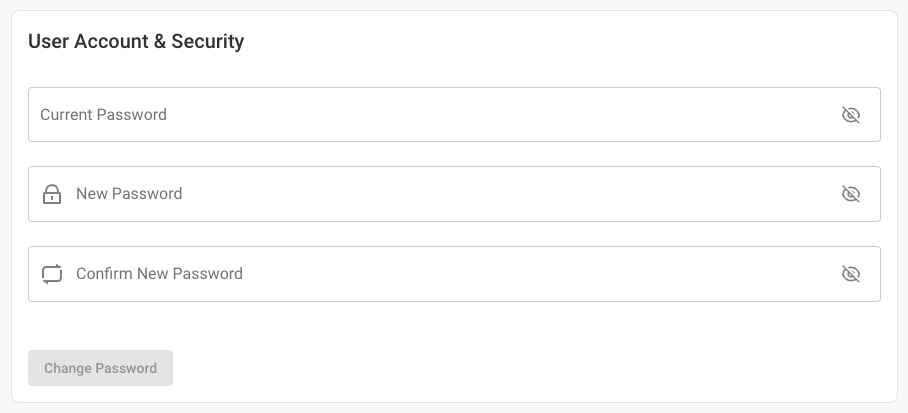
Choose the "User & Security" section to change the user password.
Password Confirmation
When using auto-login, you can enable periodic password confirmation to ensure you still remember your password. Toggle the setting on or off and set the confirmation interval in days (between 1 and 14). Disabling this setting will show a warning, since forgetting your password while using auto-login means losing access to your account.
Database Settings
Database Info & User Database Backups
View information about your user and global database, such as directory, size, and version.
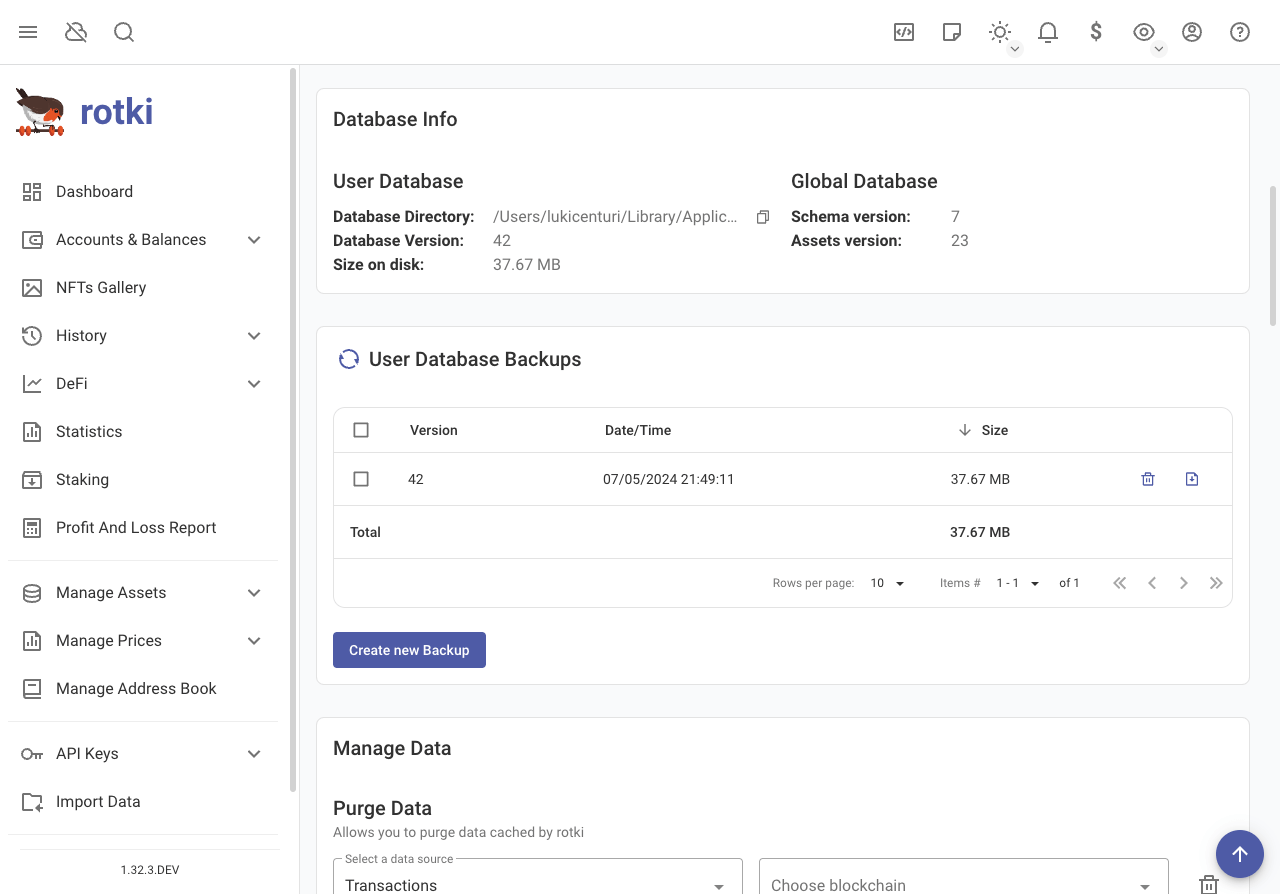
Create new database backups, delete backups, and download backups locally.
Purging Data
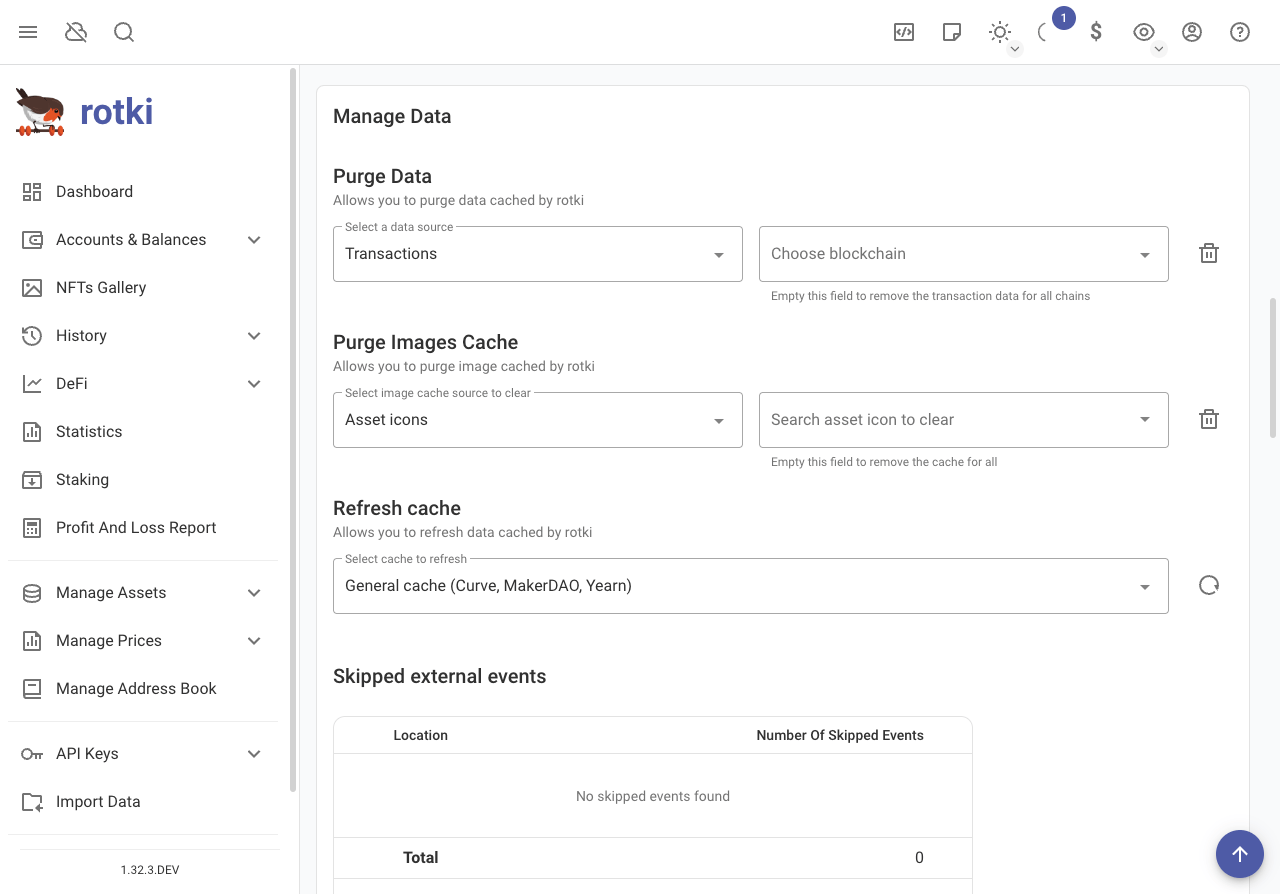
rotki keeps a lot of data cached locally. Clean this data periodically from the "Manage Data" section in the settings. Remove specific exchanges by first removing any active API keys.
Exporting and Importing User Assets
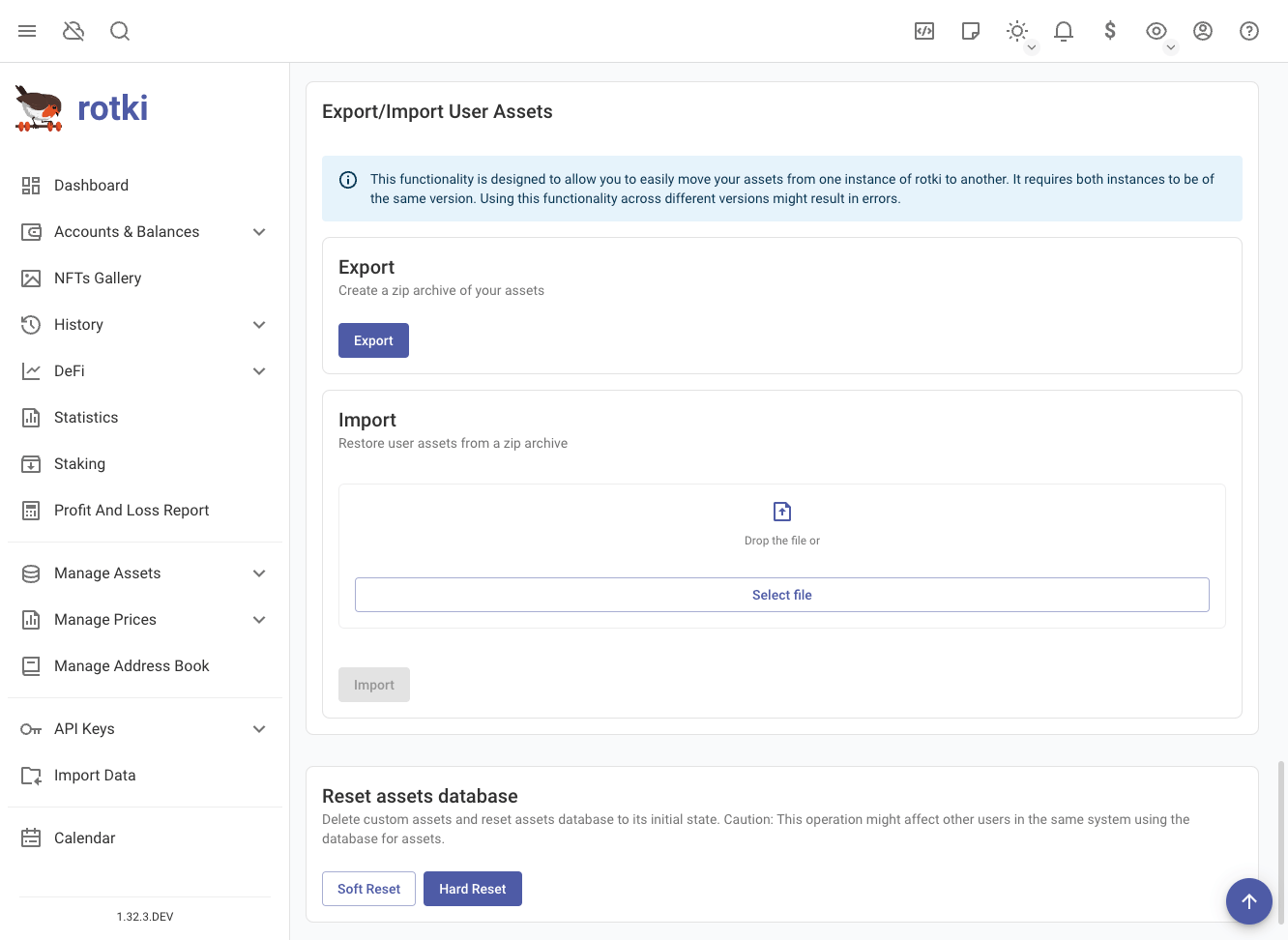
Use the export/import function to migrate user assets between computers. This function creates a zip archive of user assets for transfer.
WARNING
This archive cannot be used as a backup/restore across different versions of rotki since there is no guarantee of compatibility across versions.
Reset Assets Database
There are two options to reset the assets database:
- Soft Reset: This option will not reset assets added by the user.
- Hard Reset: This option will reset assets added by the user.
Backend Settings
Desktop app users can change the default data directory and log directory via the login screen. Click the cog wheel at the bottom right to view the backend settings dialog.
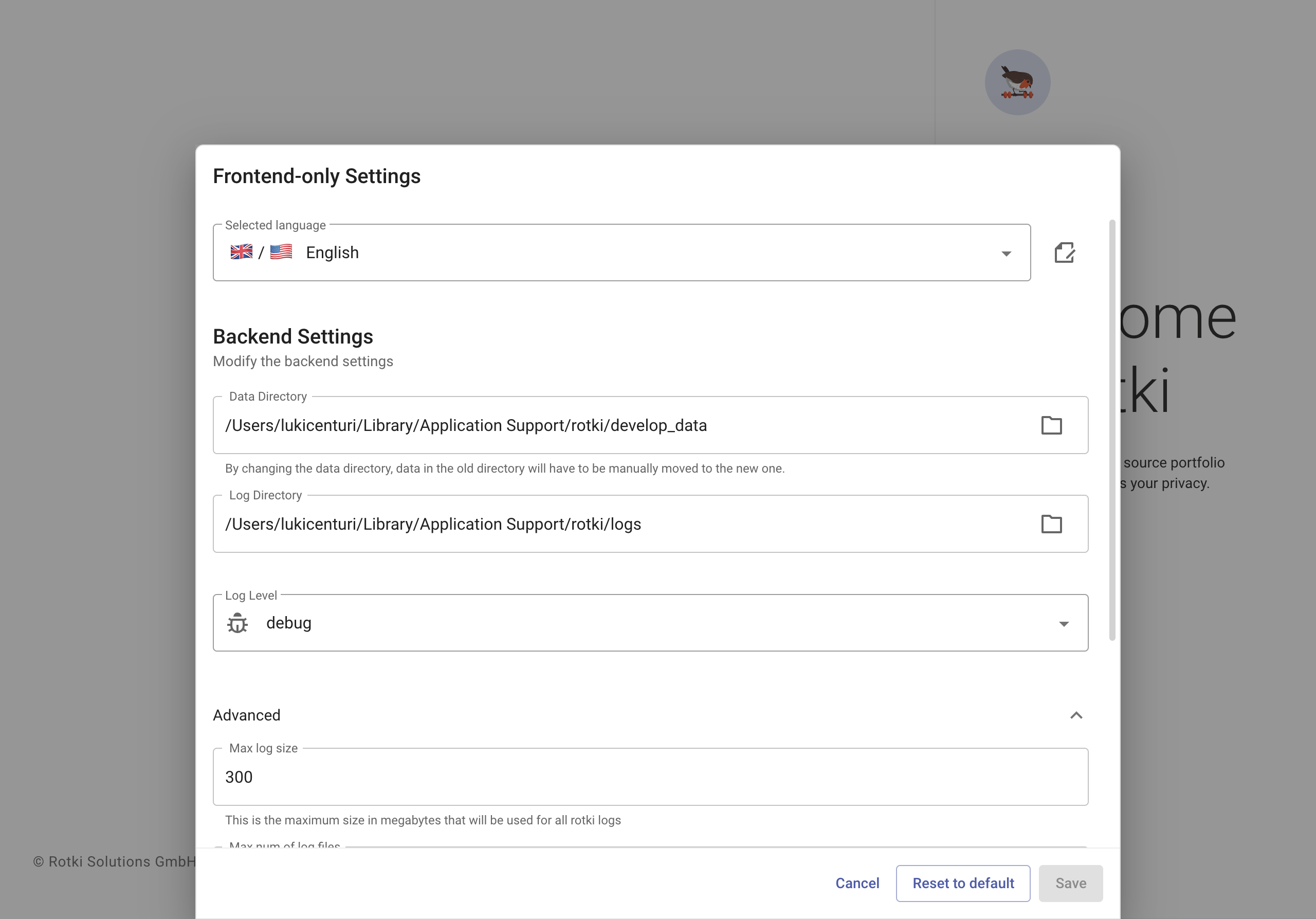
Select a new data directory, log directory, etc., and press "Save". Previously created accounts won't be accessible in the new location; move them manually.
Advanced Backend Settings
Modify the following settings in the advanced section:
- Max log size: Maximum size (MB) of all logs for a single run.
- Max number of log files: Maximum number of backup (rotated) logs for a single run.
- Instructions per SQLite context switch: Specify instructions count for context switch between cooperative threads. Set to
0to disable async DB access. - Log from other modules: Include log entries from dependent libraries, not just rotki. Disabled by default.