
Accounting Settings
TIP
For a detailed explanation of what each accounting option does (with worked examples), see Accounting Rule Options Explained.
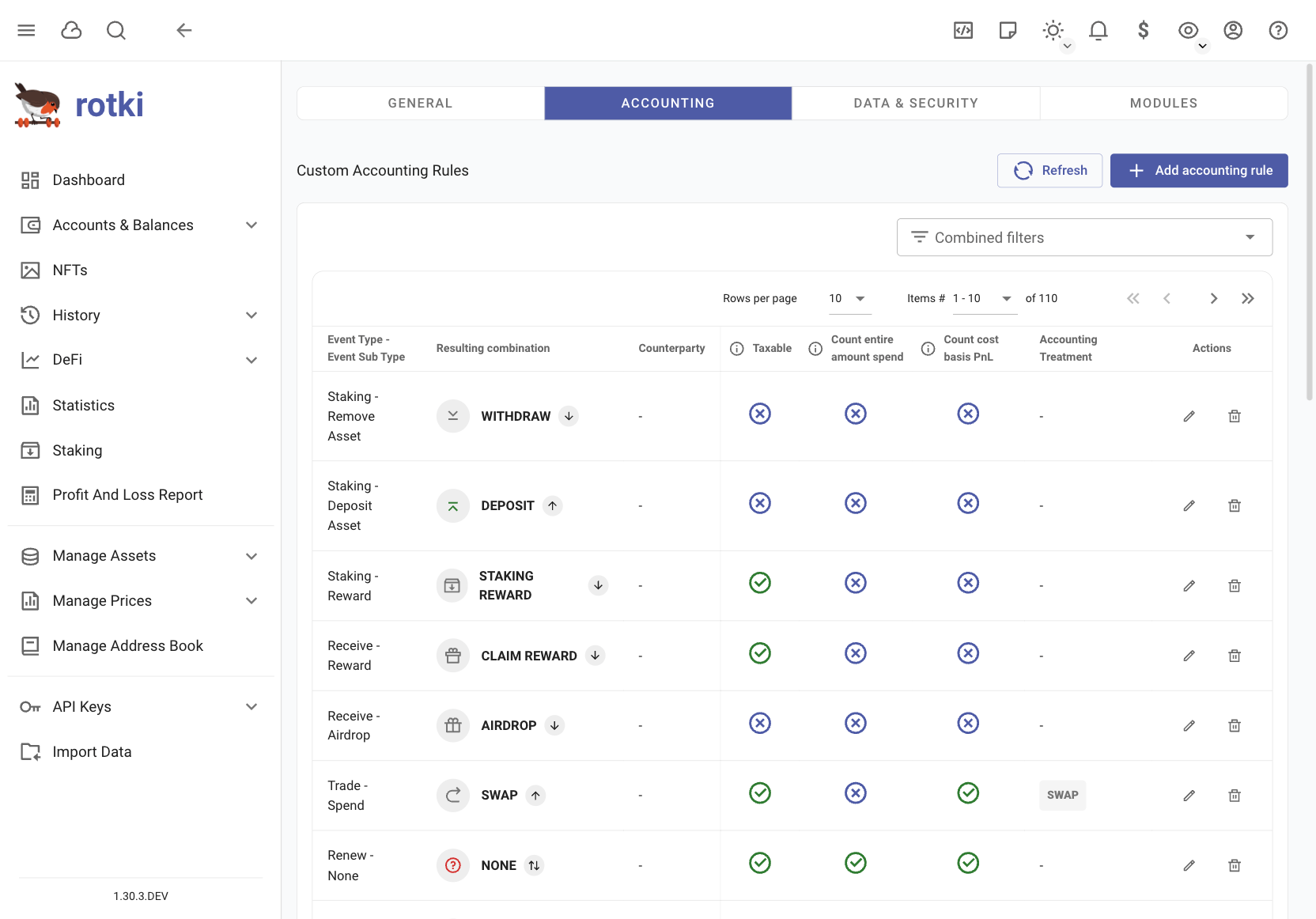
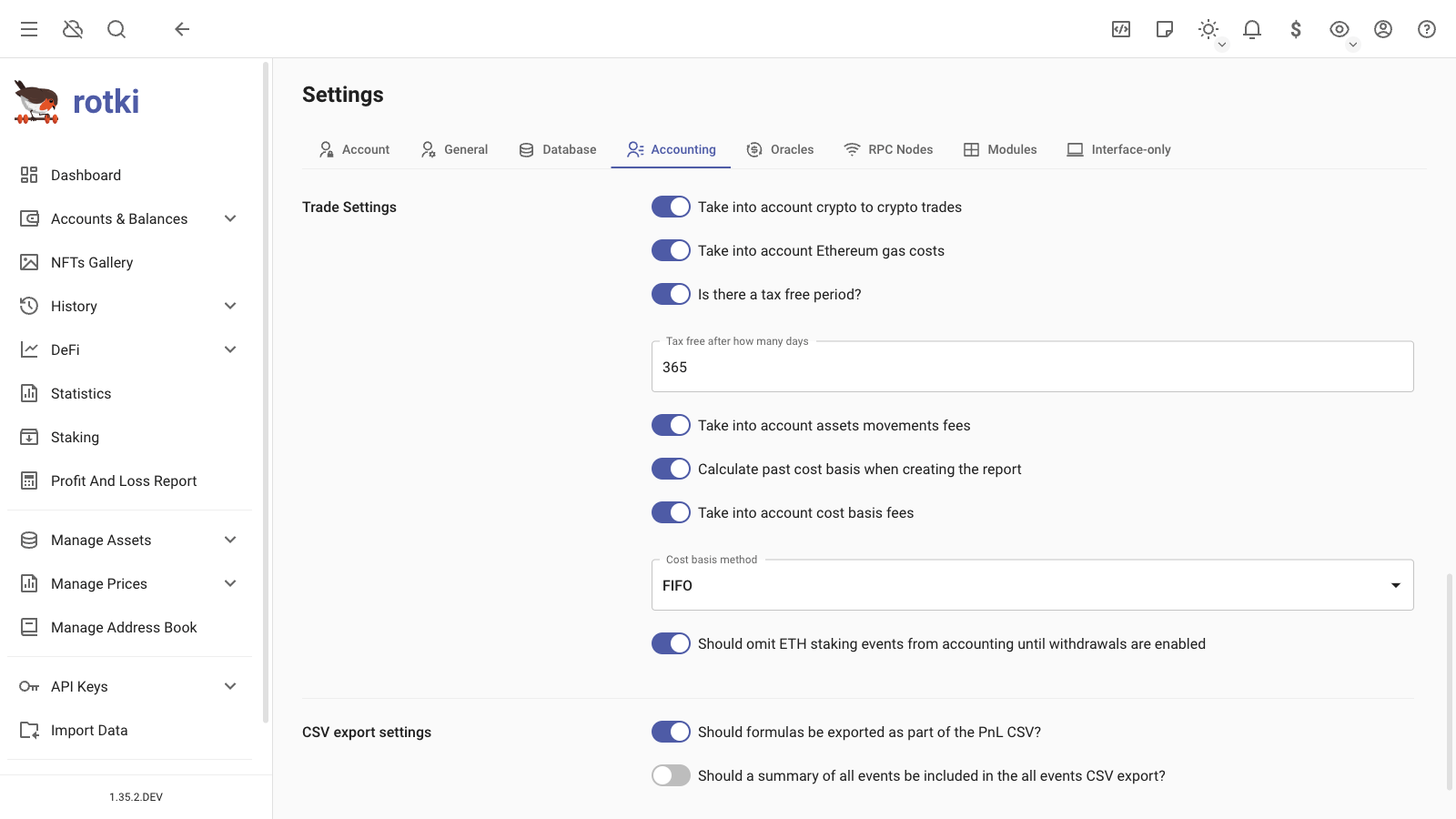
In the accounting menu, you can customize application settings related to accounting calculations. These settings will affect the PnL report calculations.
IMPORTANT
Before changing any settings:
- Review each option carefully
- Check with your tax advisor about what's required in your country
- Make adjustments based on their guidance
Current Default Settings:
- Based on German tax rules
- Uses first-in/first-out (FIFO) method for calculating profits/losses
- Treats crypto sales as tax-free after holding for 1 year
You can change these settings to match your country's tax requirements.
Add/Edit Accounting Rules
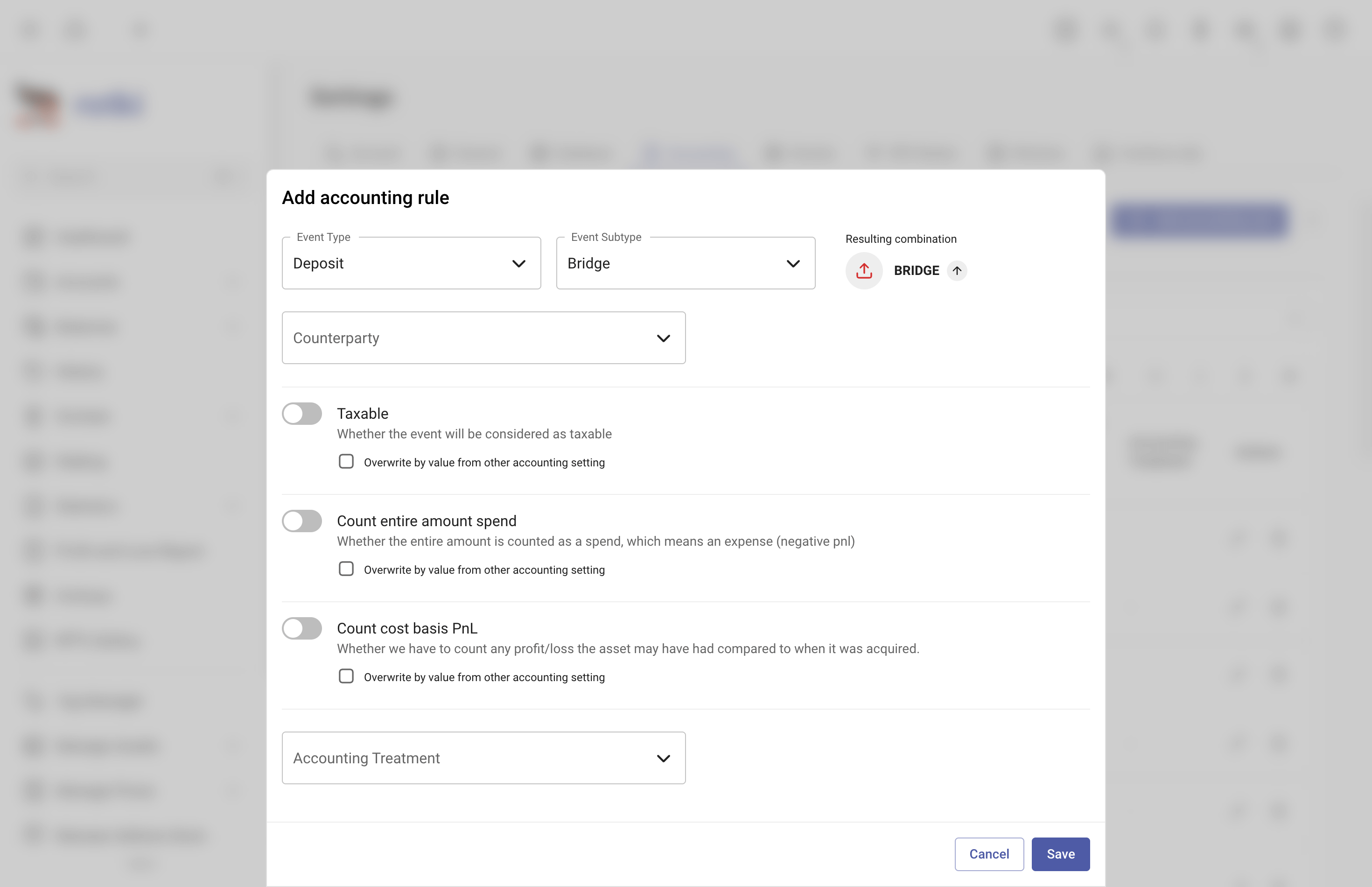
You can add or edit accounting rules based on Event type, Event subtype, and Counterparty.
Import/Export Accounting Rules
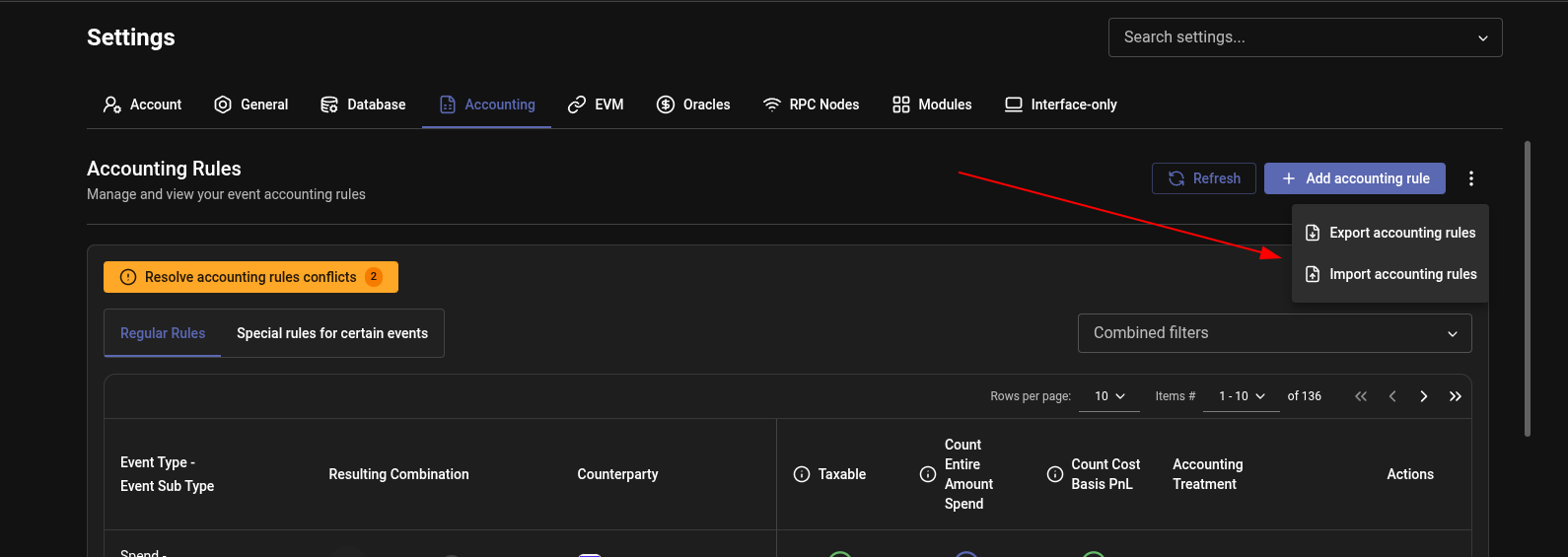
You can export your accounting rules to a JSON file and import them back later. This is useful for backing up your custom rules, sharing them with others, or moving them between rotki accounts.
Both options are available from the three-dot menu next to the Add accounting rule button on the Accounting Rules page:
- Export accounting rules: Saves all of your current accounting rules to a JSON file on your computer.
- Import accounting rules: Loads accounting rules from a previously exported JSON file.
NOTE
Imported rules can conflict with rules you already have. When any conflict exists, a Resolve accounting rules conflicts banner appears on the page, letting you choose which version of each conflicting rule to keep. This banner isn't specific to imports — it also shows up for conflicts introduced by manually added rules or by updates to rotki's built-in (source) rules.
Special Accounting Rules For Specific Events
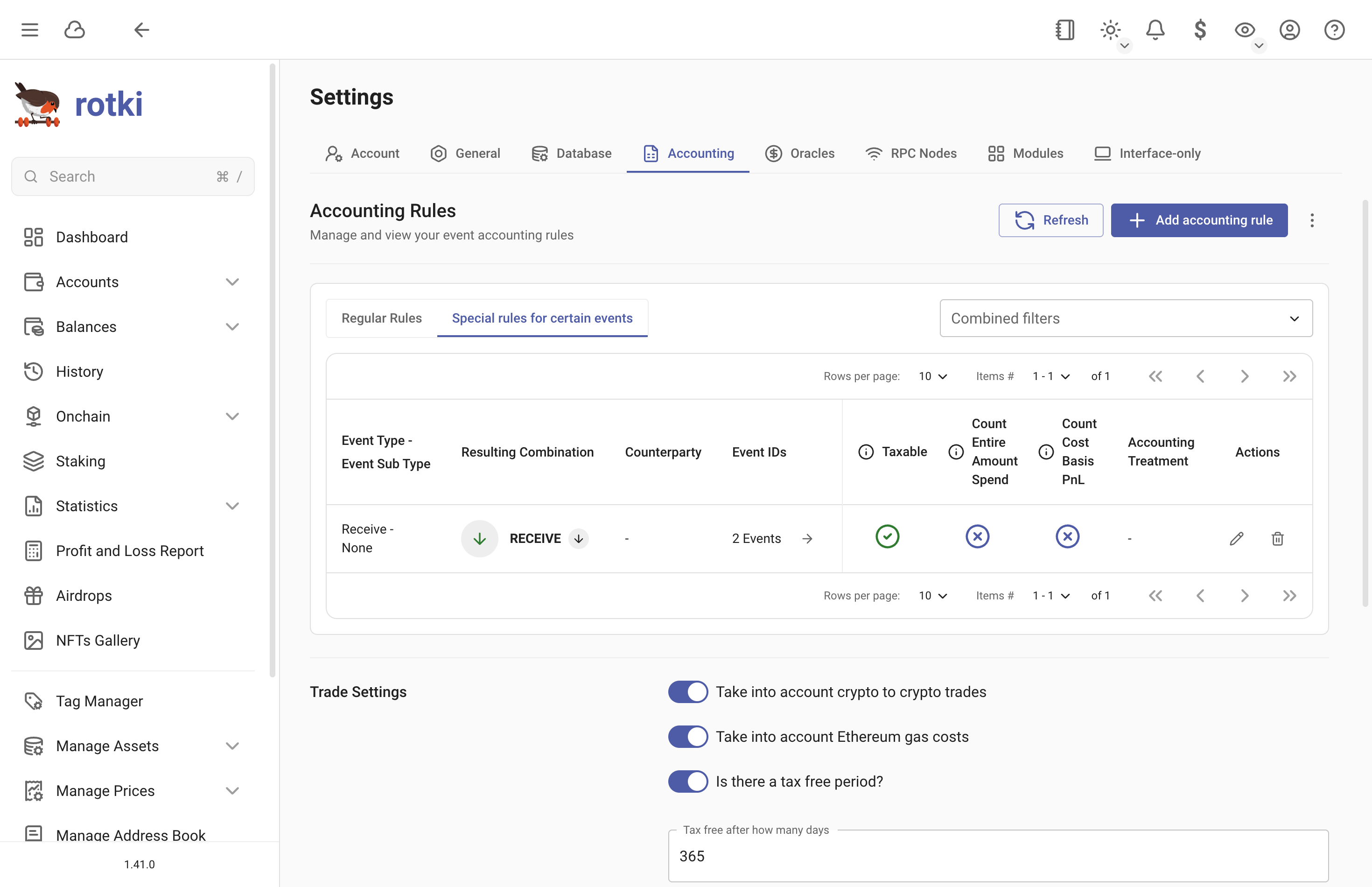
You can set custom accounting rules for individual events or groups of events directly from the History Events page. This allows you to override the default accounting behavior for specific events.
There are two ways to apply special rules:
- Use the Edit accounting rule menu for individual events
- Use Select multiple events to apply rules to multiple events at once
Trade Settings
Crypto to Crypto Trades
A setting to determine whether crypto to crypto trades or any events that spend crypto are taxable and should be taken into account. By default it's True.
Illustration: You trade your
1 ETH, to get11 USDT. Current price of ETH is10 EUR, but you bought it when it was5 EUR.
If
True, virtual trades are generated, and profits/losses are calculated based on the difference in asset prices. By making this trade, we will create two virtual trade, which are:- Virtual Trade 1: Sell
1 ETHfor10 EUR. PnL of this virtual trade is calculated asthe value when you sell this ETH (10 EUR)minusthe value when you bought this ETH (5 EUR)=5 EUR. - Virtual Trade 2: Buy
11 USDTwith10 EUR. PnL of this virtual trade is0 EURbecause it's a buy. However, later on, when you trade thisUSDTwith another crypto, point (1) will also be applied.Total PnL =
5 EUR.
- Virtual Trade 1: Sell
If
False, no virtual trades are generated, and no additional profits/losses are calculated.Total PnL =
0 EUR.
EVM Gas Costs
Specify if EVM transaction gas costs should be counted as a loss.
Tax Free Period
Specify if there is a tax-free holding period for crypto assets.
Calculate Past Cost Basis
Enable or disable calculating cost basis from all past events, even before the report period.
Omit ETH Staking Events
Specify if ETH staking events are taxable only after the merge and withdrawals are enabled or at the point of receiving.
Use Asset Collections in Cost Basis
When enabled, assets that belong to the same collection share cost basis. For example, if WETH and ETH are in the same asset collection, buying WETH and later selling ETH will use the WETH purchase as the cost basis. By default, this setting is True.
Cost Basis Method
Select the cost basis calculation method: FIFO, LIFO, HIFO, or ACB.
Include Fees in Cost Basis
A setting to determine if trade fees should be included in the cost basis of the asset being bought/sold. By default, this setting is True.
Illustration: You bought
1ETH for10 EURand paid1 EURfee.
The fee event only reduces the amount of the fee asset paid. The actual fee is then used to determine the cost basis of the asset being bought or sold.
The cost basis of that ETH is
10 + 1=11 EUR. This is where the fee is taken into account.
CSV Export Settings

Export Formulas
Specify if formulas should be exported as formulas in the CSV or as actual values.
Have Summary
Specify whether the all_events CSV export should include a summary of all events and the total profit/loss at the end. This summary would also include the rotki version and the settings used during the PnL report, making it easier to reproduce a report run.