
Filtering history events
Events are narrowed with a filter bar that holds one pill per active filter. Every pill is a field, an operator and one or more values. Pills combine with AND: an event has to satisfy all of them to appear.
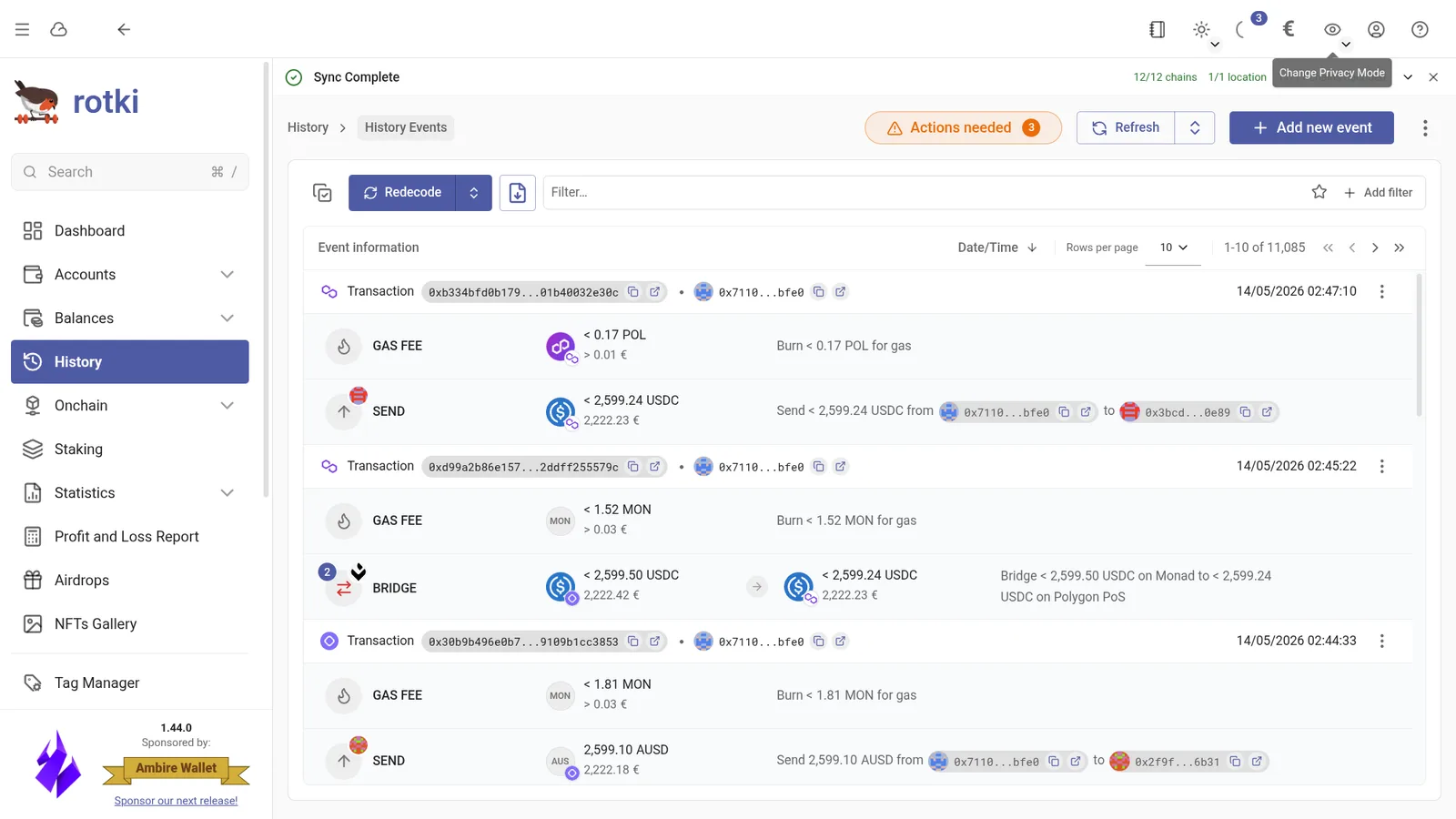
Your filters persist. They are stored per user, so leaving the page or logging out and back in brings the last set of pills back. Filters also ride the page URL, which means a filtered view can be bookmarked or shared with your future self.
Adding a filter
There are two ways in, and they reach the same set of fields.
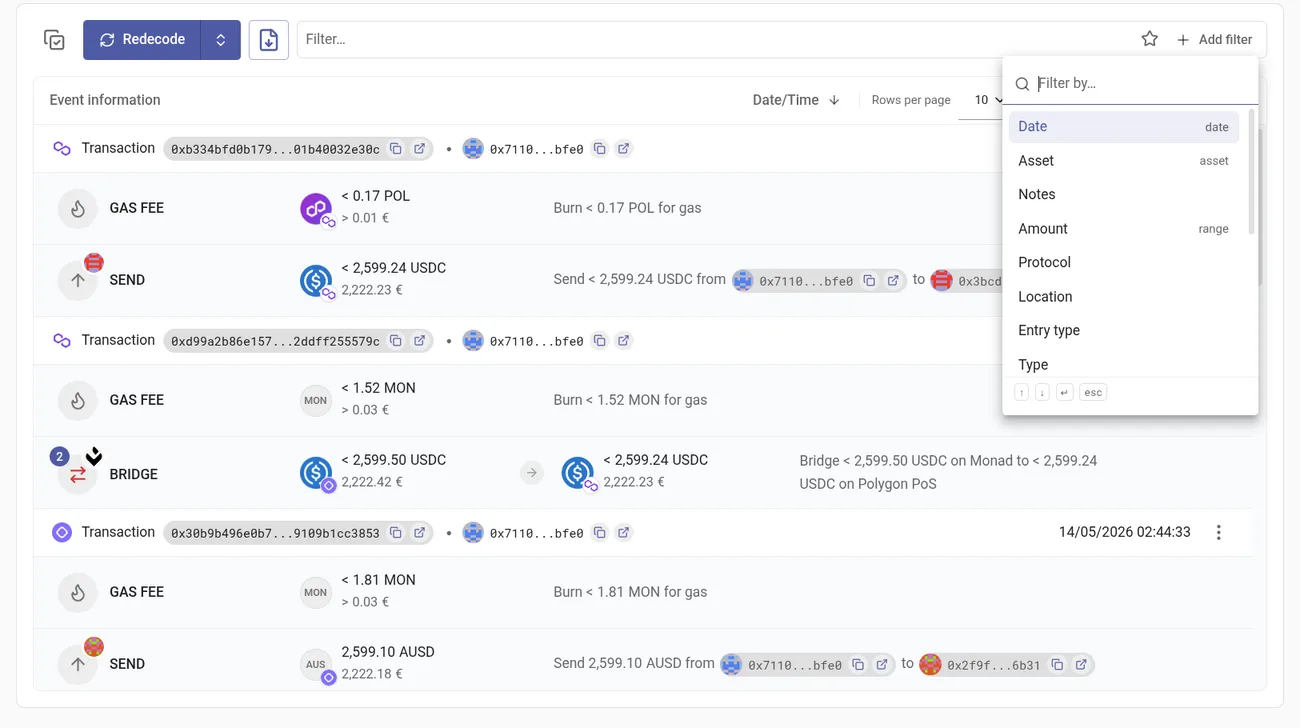
Pick the field. Add filter lists every field available on this page, with its kind shown on the right (date, asset, range). Pick one and its editor opens.
Type into the bar. Typing narrows fields and values at once. Typing evm event offers it both as an Entry type value and as a Notes substring, so you choose the reading you meant rather than picking the field first.
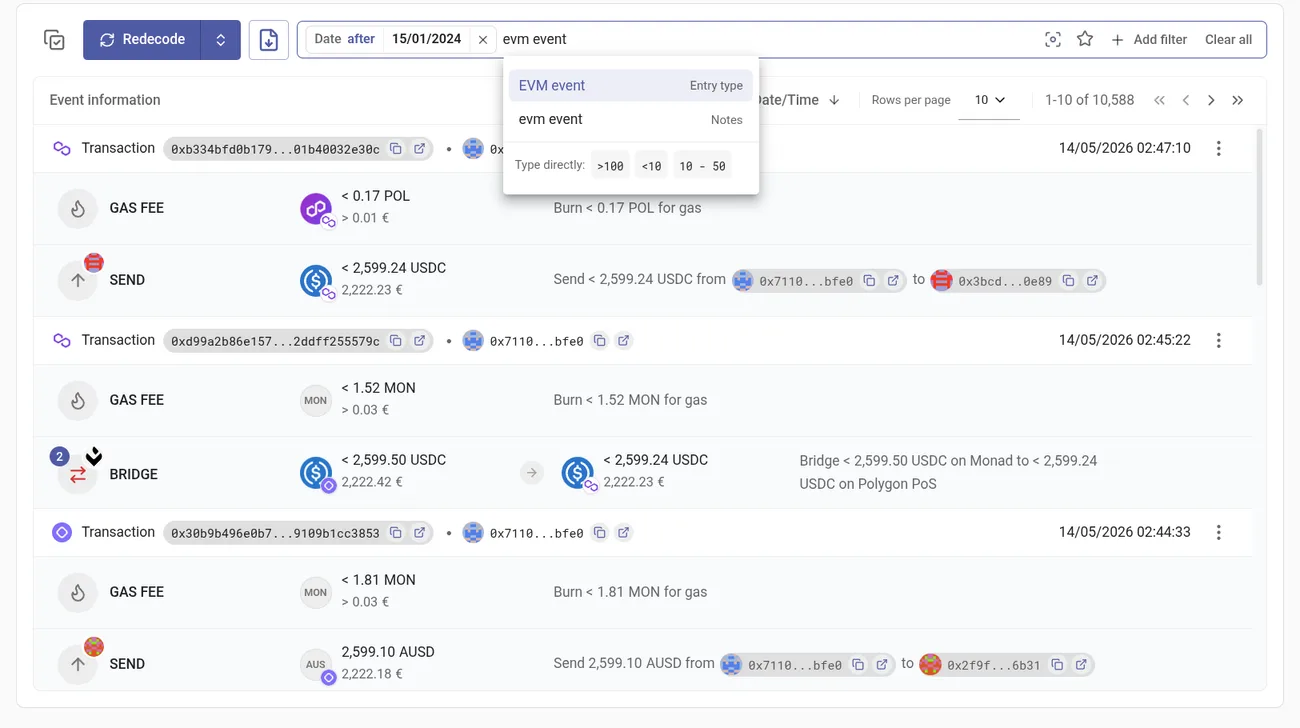
Use ↑ ↓ to move, ↵ to accept and esc to close.
The filters
The bar only offers fields that make sense for what you are looking at. A page already pinned to one protocol, location, period, validator or event type does not offer a pill for it, and the entry types in play decide the rest: Validator appears only when staking events are included, and Tx hash / Address only when transactions are.
| Filter | Accepts | Multiple values | Notes |
|---|---|---|---|
| Date | a date, or a range | one range | is a range, or an open after / before bound |
| Asset | an asset | one | searches as you type; scoped to the picked Location |
| Notes | free text | one | matches any event whose notes contain the text |
| Amount | a number, or a range | one range | between, greater than, less than |
| Protocol | a counterparty | yes | uniswap-v3, aave-v3, monerium, gnosis-pay, … |
| Location | a location | one | ethereum, optimism, kraken, binance, … |
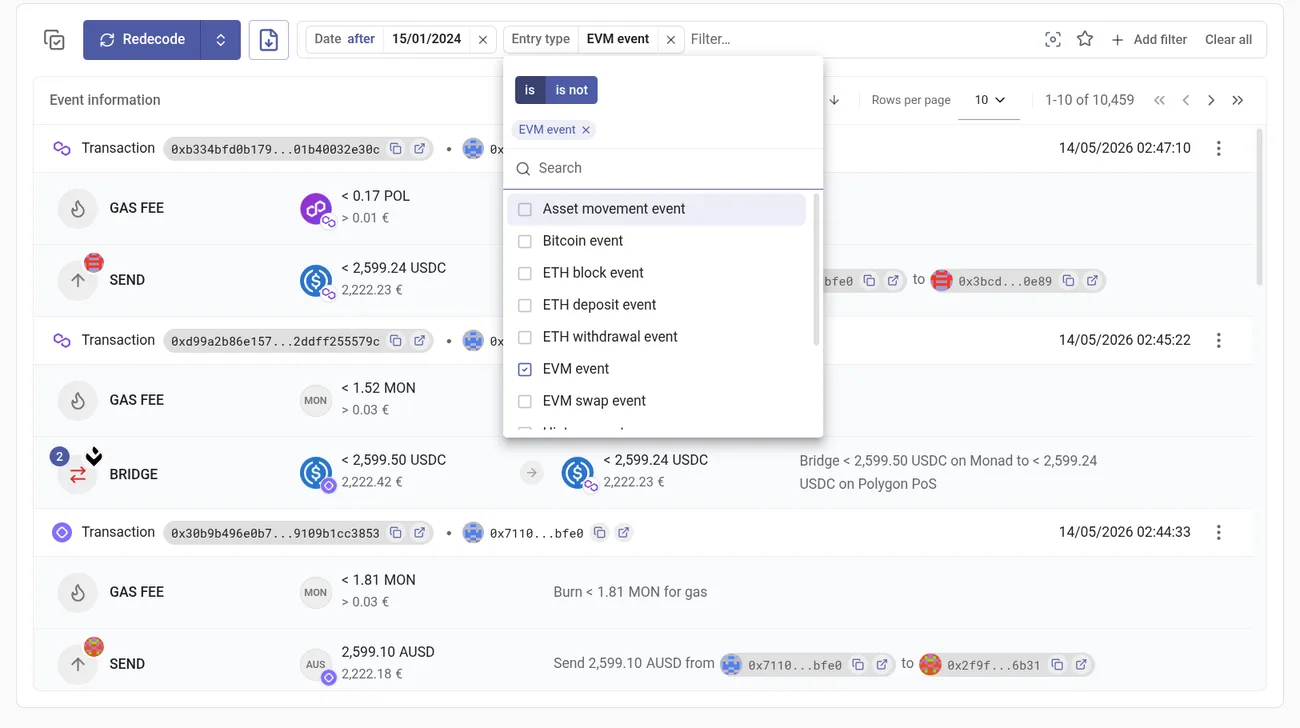
| Entry type | an event entry type | yes | the only field that can also exclude — see below |
| Type | an event type | yes | deposit, withdrawal, trade, staking, … |
| Subtype | an event subtype | yes | fee, spend, receive, reward, … — narrowed by Type |
| Action | a verb | one | a shorthand for a Type + Subtype pair |
| Tx hash | a hash or signature | yes | validated as you type |
| Address | an address | yes | any address appearing on the event |
| Validator | a validator index | yes | digits only |
| Account | a tracked account | yes | searchable by address, name or tag |
| State | an event state | yes | matched, customized, imported from CSV, profit adjustment, synthetic |
| Show ignored assets | — | — | a switch: adding the pill turns it on, removing it turns it off |
Typing dates and amounts directly
Date and Amount are typed rather than picked, and the bar shows the accepted forms under Type directly as you write.
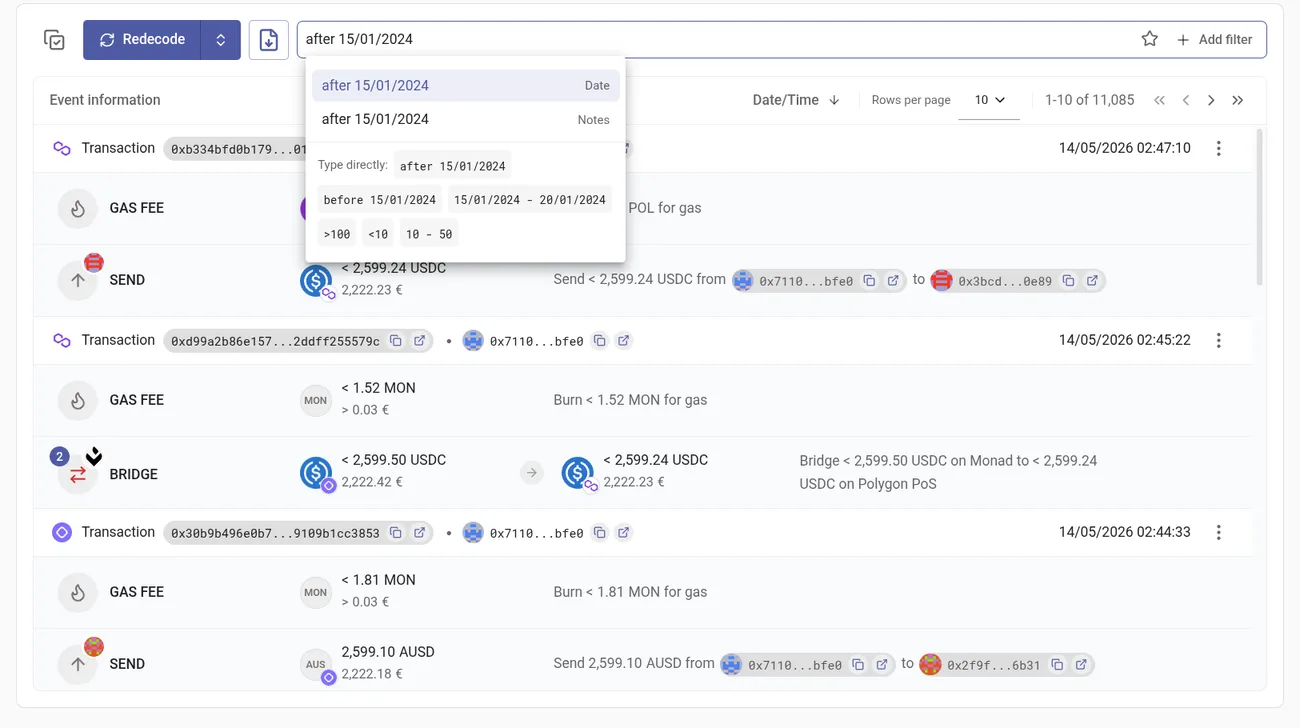
Dates accept an open bound written with a word or a symbol — after 15/01/2024, since 15/01/2024, > 15/01/2024, and before / until / < for the other direction — or a span written 15/01/2024 - 20/01/2024. Dates follow the format set in your own date settings, which is the format the hint is written in.
Amounts work the same way: >100, <10, at least 100, up to 10, over 100, below 10, or a span 10 - 50. A bare number is ambiguous, so it offers you both directions to choose from.
NOTE
The words the bar understands are English (after, before, since, until, and the amount words above), regardless of your display language.
Excluding entry types
Entry type is the one filter that can be inverted. Its editor carries an is / is not switch, so you can ask for only EVM events, or for everything except them.
Type, Subtype and Action
Type and Subtype describe an event together, and rotki reads them as a pair: a subtype the selected types never produce would match nothing, so the bar only offers subtypes the current Type selection actually admits, and drops a subtype that stops being admitted.
Action is the same thing said as a verb, using the vocabulary the event editor uses. Because all three drive the same underlying pair, Action cannot be combined with Type or Subtype — adding one removes the other.
State
State marks how an event came to be, rather than what it was.
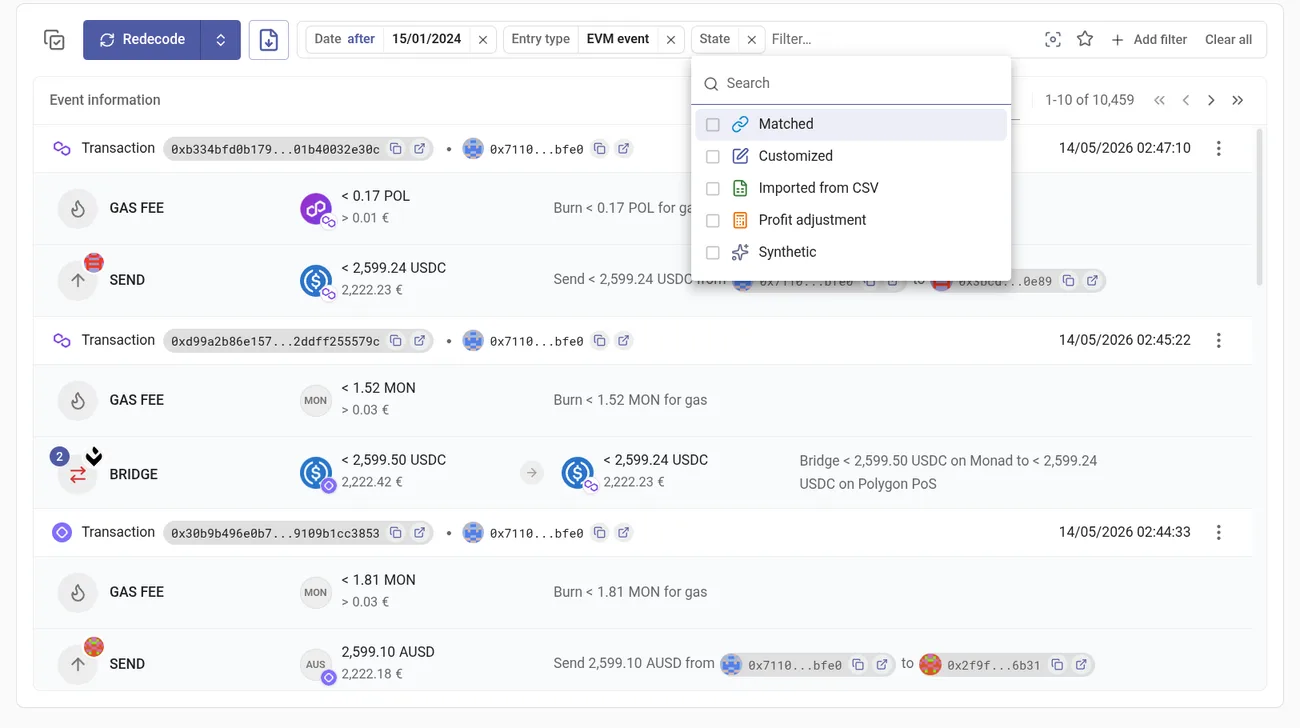
- Matched — paired with a counterpart event, such as a deposit matched to its withdrawal.
- Customized — you edited it, so redecoding will not overwrite it.
- Imported from CSV — it came in through a data import rather than a query.
- Profit adjustment — generated to reconcile a balance.
- Synthetic — generated by rotki rather than read from a source.
Showing only the matching events
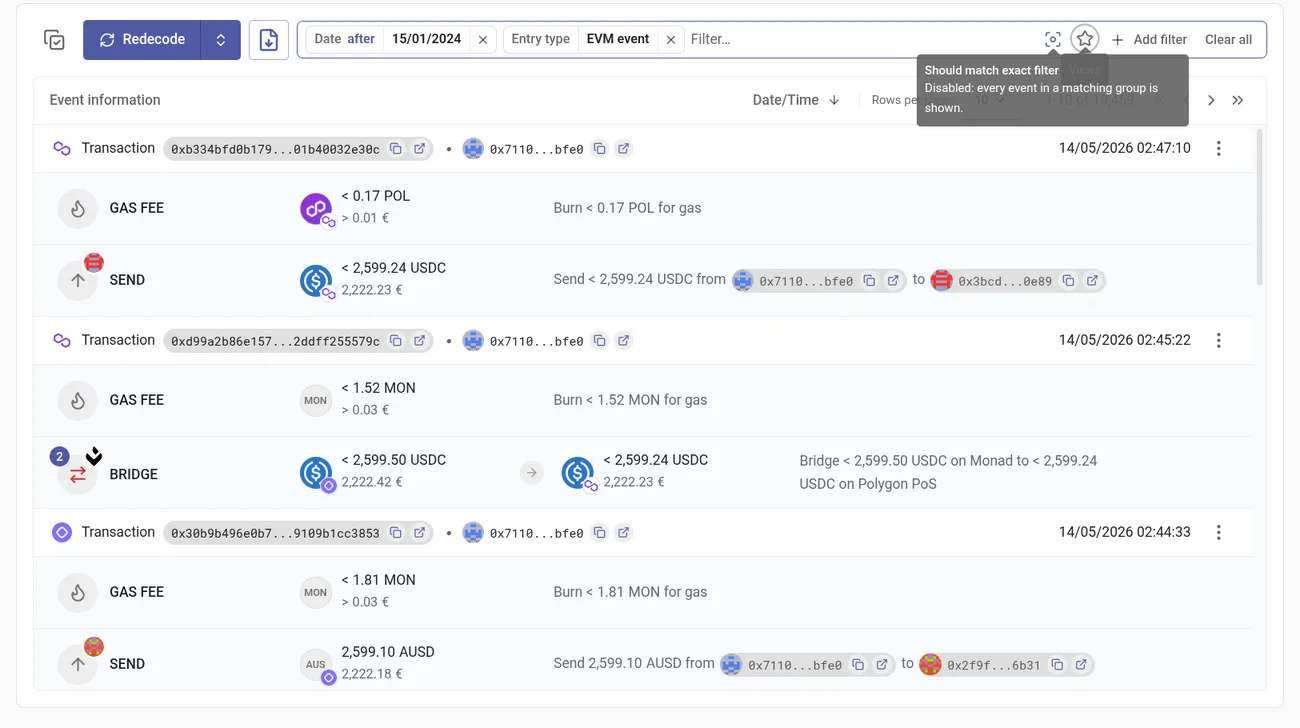
Events arrive in groups: a transaction and the events decoded from it, or a swap and its fee. By default, when any event in a group matches, the whole group is shown, so you see the match in context.
The Should match exact filter toggle at the right of the bar drops that context and shows only the events that matched.
Saving a set of filters as a view
A set of pills you return to can be saved. Open the star at the right of the bar, name the current filters and save. The view then reapplies both the pills and their values in one click.
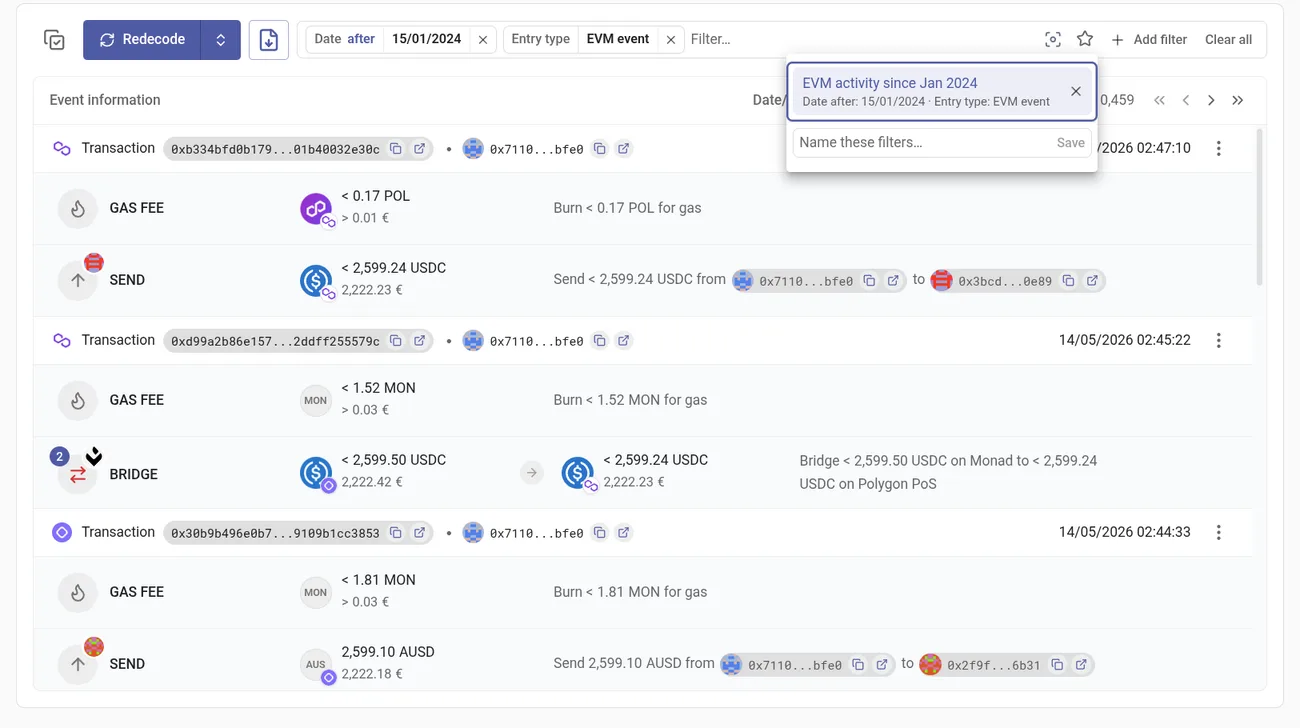
You can keep up to ten views per page. rotki also remembers the last values you typed into the free-text fields — tx hash, address, validator and notes — and offers them back, since those fields have no list of their own to suggest from.